
This approach simplifies the management of corporate telephony. Teams can work from multiple sites or telecommute, while maintaining a centralized call system that can be supervised and connected to business tools such as CRM.
In this guide, you’ll learn what VoIP cloud telephony really is, how it works and what steps you need to take to migrate to a modern, hardware-free solution.
Points to remember :
- VoIP cloud telephony replaces heavy hardware with a 100% online solution. It operates via the Internet, without a physical server, and enables calls to be made from a browser, softphone or cell phone.
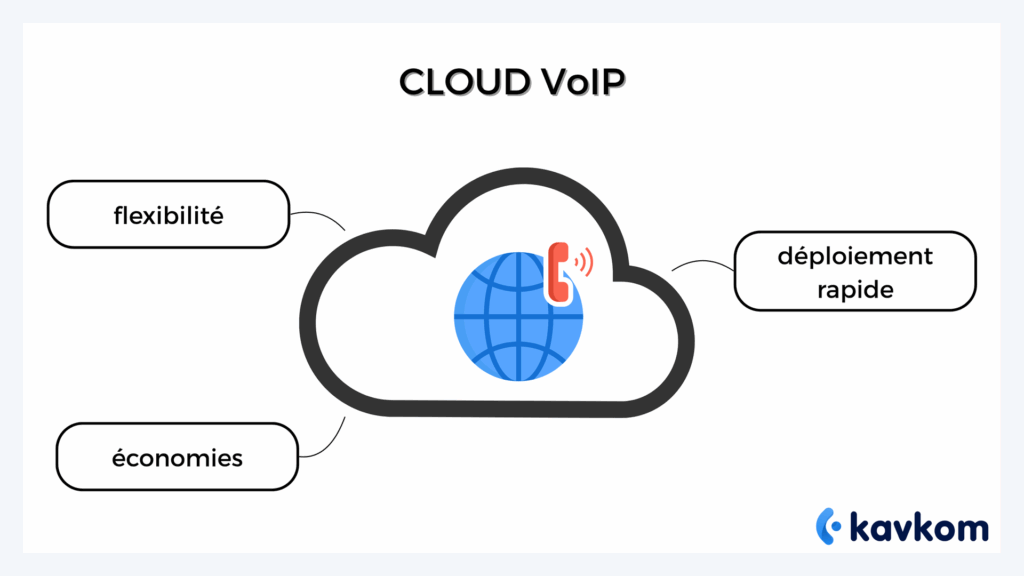
- The benefits are clear: reduced costs (no more hardware maintenance), total flexibility (telecommuting, multisite), seamless CRM integration and real-time supervision via dashboards and KPIs.
- Migration to VoIP cloud is a 5-step process: needs analysis, choice of a suitable provider (like Kavkom), technical configuration, team training, then supervision and optimization.
- Kavkom facilitates this transition with a hardware-free solution, rapid installation, native integration with leading CRMs (Salesforce, HubSpot, Zoho…) and French-speaking human support.

Defining VoIP cloud telephony: concepts and differences
Before talking about migration or solutions, it’s important to understand what cloud VoIP really means.
This term brings together two concepts: VoIP, which enables voice transmission via the Internet, and cloud telephony, where the telephony infrastructure is hosted on remote servers.
In practice, this means that your switchboard is no longer installed on your premises.
It operates in the cloud, via a cloud PBX (hosted switchboard), accessible from the Internet.
What is VoIP?
VoIP (Voice over Internet Protocol) is a technology that enables telephone calls to be made over the Internet rather than the traditional telephone network.
In concrete terms, voice is converted into digital data, then transmitted over the Internet before being transformed back into audio at the recipient’s premises.
Most VoIP systems use the Session Initiation Protocol (SIP) to establish and manage calls between different telephony devices or software.
What about cloud telephony?
Cloud telephony is a telephone system hosted on remote servers.
Instead of having a switchboard installed on your premises, the entire infrastructure is managed in the cloud via a cloud PBX.
This means:
system access from any Internet-connected device
no server to install
no hardware maintenance
What are the concrete changes at work?
With a VoIP cloud solution, telephony becomes much more flexible.
- Teams can make and receive calls from anywhere.
- Communications are centralized in a single interface.
- Calls can be integrated into business tools such as CRM.
- Managers can monitor call activity in real time.
In practice, cloud VoIP modernizes the company’s telephone system, while simplifying its management.
The benefits of cloud VoIP for businesses
Cloud VoIP does more than just replace an old phone system.
It changes the way teams manage calls, collaborate and monitor their business.
For companies, and in particular for sales teams or in-house call centers, cloud telephony brings a number of very tangible benefits.
Cost reduction
Cloud telephony requires no on-site telephone infrastructure.
The switchboard is hosted in the cloud, eliminating the costs associated with servers, hardware maintenance and technical interventions.
According to some studies on cloud adoption, a large proportion of companies see a drop in costs after migrating to cloud telephony.
Flexibility and mobility
With Cloud VoIP, teams can make and receive calls from :
- a computer
- a web browser
- a mobile application
This facilitates telecommuting and the organization of teams spread over several sites.
Employees remain reachable with the same business number, even when they’re out of the office.
Scalability
A VoIP cloud solution adapts easily to the evolution of your business. Adding a new user, creating a call group or modifying call routing can all be done directly from the administration interface.
No additional equipment is required.
Seamless integration with your tools
Cloud telephony solutions can be integrated directly with the CRM and business software used by the company.
For example:
- automatically display a customer’s record during a call
- record conversation history
- launch a call with one click from CRM
This integration improves customer follow-up and team productivity.
To sum up: cloud VoIP telephony simplifies organization, improves team responsiveness, and enables better performance management, while reducing costs. As a result, cloud VoIP is becoming an increasingly popular solution for companies looking to modernize their telephony.
VoIP cloud telephony vs. traditional PBX: what are the differences?
When a company wants to modernize its telephone system, there are two approaches. The first is to use an on-site PBX. This is the historical model for switchboards.
The second is based on VoIP cloud telephony, where the entire telephony infrastructure is hosted in the cloud via a cloud PBX. These two approaches work differently, and don’t offer the same level of flexibility.
Comparison table
| Criteria | Traditional PBX (on-site) | Cloud VoIP |
|---|---|---|
| Infrastructure | Server installed on premises | Cloud hosting |
| Installation | On-site technical configuration | Quick activation |
| Maintenance | Hardware maintenance required | Supplier-managed maintenance |
| Flexibility | More complex developments | Add users in just a few clicks |
| Teleworking | More complex set-up | Access from anywhere |
| Scalability | Depends on hardware installed | Easily adaptable to your needs |
Traditional telephony (on-site PBX)
In a traditional PBX system, the switchboard is physically installed in the company.
This usually involves :
- a dedicated server
- telephone wiring
- telephone sets configured on site
Any change to the system, such as adding a new line or modifying call routing, often requires technical intervention.
VoIP cloud telephony
With a VoIP cloud solution, the switchboard operates in the cloud.
Calls are made over the Internet and can be managed from a web interface or an application.
This makes it possible to :
- configure users and online call groups
- modify system parameters remotely
- rapidly equip teleworking teams
For call and sales centers
VoIP cloud is particularly well suited to mobile, multi-site or telecommuting teams. It lets youadjust staffing levels in real time, monitor calls and connect telephony to CRM to automate customer follow-up.
In a nutshell: more flexible, more economical, easier to upgrade, the cloud is the logical choice for today’s businesses, especially those with
1. Assess your needs
Before choosing a VoIP solution, you need to analyze your current operations.
A few questions will help clarify your needs:
- how many numbers or users do you use?
- do your teams work on-site or remotely?
- do you need call recording?
- would you like to connect your telephony to your CRM?
- do you experience call peaks at certain times?
This step enables you to choose the right solution for your organization.
2. Choose the right supplier
Not all VoIP solutions offer the same level of simplicity or functionality.
A good supplier should offer :
- a 100% cloud solution, with no infrastructure to install
- quick and easy to set up
- integration with leading CRMs
- responsive technical support
- clear, flexible pricing
For example, Kavkom offers a 100% cloud-based business telephony solution, accessible without hardware installation.
The platform enables rapid deployment of a call system for a sales team or internal call center, while integrating communications with CRMs such as HubSpot, Salesforce or Zoho. Managers can then monitor call activity via real-time dashboards.
3. Set up CRM configuration and integration
Once the solution has been chosen, the telephony environment needs to be configured.
This generally includes :
- creation of user accounts
- call group configuration
- setting up call routing
- activation of key functions (registration, transfers, supervision)
Telephony can then be connected to the CRM to synchronize calls and customer information.â Thanks to the ease of use of the software, and the support you can request.
Training teams
Even if VoIP tools are generally easy to use, it’s a good idea to support your teams during deployment.
A few simple actions may suffice:
- a short training session
- a quick user guide
- an internal contact to answer initial questions
Monitoring, supervision and optimization
Once the solution is in place, managers can analyze call activity.
The most commonly used indicators are :
- call waiting time
- Drop-out rate
- average call duration
- number of missed calls
This data is used to adjust team organization and improve call handling.
Real-time call supervision: managing team performance
A cloud telephony solution isn’t just about making calls.
It’s also about tracking team activity and analyzing call management in real time.
For sales teams and in-house call centers, this visibility is essential for understanding what’s happening on a daily basis and adjusting the organization if necessary.
Supervision tools
Cloud telephony solutions generally offer real-time monitoring interfaces.
These dashboards provide a quick overview of :
- number of calls in progress
- call waiting
- agent status (available, on call, absent)
- performance by team or user
This enables managers to react quickly to call peaks or reduced availability.
KPIs to monitor closely
Several indicators are particularly useful for monitoring call activity:
- average response time
- drop-out rate
- call transfer rate
- average call duration
- maximum waiting time
- number of missed calls
By analyzing this data on a regular basis, managers can better understand team activity and adjust the organization if necessary.
A direct lever for productivity
Studies show that companies using call analysis and real-time supervision tools improve team productivity and customer service quality.
FAQ – Frequently asked questions
What’s the difference between a VoIP line and a VoIP server?
A VoIP line is a virtual telephone number used to make and receive calls via the Internet, from a softphone, browser or IP phone.
A VoIP server is the system that manages these calls: it orchestrates connections, transfers, queues and recordings.
What are the disadvantages of VoIP?
VoIP depends on a stable Internet connection. If the network is unstable, audio quality may deteriorate. It also requires sufficient bandwidth to avoid interruptions. Finally, some advanced functions may require a bit of initial configuration, which is why it’s a good idea to choose a service provider like Kavkom, who can help with installation and provide ongoing human support.
What is a Cloud PBX and what is it for?
A cloud PBX (Private Branch Exchange) is a telephone switchboard hosted in the cloud. It manages internal and external calls, call forwarding, voicemail messages, waiting groups… but without a physical server on your premises. It offers all the advantages of a traditional PBX, with greater flexibility, lower costs and remote administration.
Conclusion
VoIP cloud telephony is the obvious choice for companies looking to modernize their communications. More flexible, more economical and easier to manage, it offers advanced functionalities that significantly improve responsiveness, supervision and customer relations – essential levers for call centers and sales teams.
Tools like Kavkom make the transition simple: no hardware, rapid installation, native integration with CRMs and human support every step of the way. Real-time supervision, logging and performance indicators keep you in control, while facilitating the work of your teams.
In short: by opting for a VoIP cloud solution, you gain flexibility, reduce costs, and lay the foundations for modern, scalable, efficiency-focused telephony.