Your customer feedback and complaints are flooding in over the phone, and no one can tell who is calling or why.
Your customers are kept waiting, transferred three times, and have to repeat their problem. And at the end of the month, you have neither an answer rate nor a resolution time to show.
This is when an e-commerce customer service department stops being just a call center and becomes a business operation that needs to be managed.
Here’s how to structure your phone-based customer service with a professional cloud-based phone system: IVR routing, KPI plan, call recording for coaching, and CRM integration. All in stages, without a major IT project.
We’ll start with the legal framework—just enough to establish expectations before making improvements.
Legal Framework and Challenges of E-commerce Customer Service
Do you run an online store and wonder if a telephone-based customer service department is really required? The answer is more nuanced than a simple yes or no.
No single law requires e-commerce businesses to provide a standalone customer service department. However, e-commerce customer service becomes functionally mandatory as soon as it’s needed to comply with your legal obligations—and there are many of them.
Specifically, you must provide the Terms and Conditions before the contract is concluded, clearly inform the customer of their right of withdrawal, and issue a refund within the required timeframe. The customer has 14 days to cancel a distance purchase without providing a reason. Once notified, you have 14 days to issue a refund. These deadlines are non-negotiable.
And a change is coming soon. Starting June 19, 2026, French e-commerce sites will be required to offer an online feature specifically for exercising the right of withdrawal, with automatic acknowledgment of receipt in a durable medium. Compliance is no longer just a legal issue—it’s becoming an operational one.
There’s one aspect that many people underestimate: after-sales support for delivery disputes. Delays, packages never received, non-compliant products, refund requests related to cancellations. All of this comes through to your support team—often by phone, and often as an urgent matter.
Here’s where it gets interesting: a responsive call center isn’t just there to check a regulatory box. It safeguards the customer experience and prevents complaints from escalating.
A vague return policy or unresponsive customer support has the opposite effect. You expose your brand to penalties and damage your reputation. A customer who gets their issue resolved quickly over the phone leaves feeling reassured. And they’ll come back.
This is where it all comes down to: responsiveness over the phone links your legal compliance to customer loyalty. Fewer disputes, fewer complaints that escalate, and a better reputation. To organize your phone-based customer service without a major IT project, the following guide provides the method.
Mapping Call Flows to Organize Your E-commerce Customer Service Call Management
You receive calls all day long, but you’d be hard-pressed to say who’s calling and why. Sound familiar?
This is the starting point for any effective customer support organization. Before routing anything, you need to know what’s coming in.
In e-commerce, the reasons for customer service calls almost always fall into four main categories:
- Order Tracking: Where is my package? When will it be delivered? How do I change my address?
- Product returns: broken item, wrong size, request for an exchange or a return credit.
- Payment disputes: double charges, delayed refunds, or disputes over an amount.
- Complaints: repeated delays, non-compliant product, dissatisfied customer seeking a response.
Once these categories are established, you have the foundation for your customer service call routing. Each reason warrants a queue—sometimes a dedicated agent—and always follow-up.
That leaves the question everyone is asking at this stage: should we handle it in-house or outsource it?
Here’s a simple checklist to help you decide. Keep customer service in-house if your call volume remains manageable, if your team has in-depth product knowledge, and if you want to maintain control over the quality of responses. Outsource if call volumes are massive and unpredictable, or if you have no internal resources available. In most cases for growing businesses, keeping customer service in-house with the right tools remains the most cost-effective choice.
And that’s exactly where many people go wrong: a simple, unstructured phone support system does more harm than good. A number that rings with no one answering, haphazard transfers, a customer who has to repeat their problem three times. That’s exactly where the e-commerce customer journey breaks down.
The solution is anything but complicated. A Kavkom cloud-based phone system organizes your call flows right from the start: customizable IVR, call groups by reason, and intelligent routing to the right agent. Everything is included—no additional modules to pay for, no hardware to install.
You map out your calls, route them efficiently, and the rest takes care of itself.
👉 Learn more about Kavkom’s customer service software.
The Ideal Architecture for a Cloud-Based Call Center for Customer Service
Mapping your calls is great. But without a solid call-handling architecture behind it, your customers will still be stuck in an endless menu loop.
Here’s how to build a call center that qualifies the request from the very first second, routes it to the right agent, and keeps things running smoothly even when your team is off the clock. Three steps, in the right order.
Step 1: Set up virtual numbers and a seamless IVR system
It all starts with the number displayed on your website. A customer who sees a local number near their home is more likely to pick up the phone.
That’s where virtual numbers come in. You can get a local French number—or an international number in over 50 countries if you sell abroad. A store that ships to Spain displays a +34 number that its Spanish customers can call at local rates. Local presence, no on-site office.
Next comes the customer greeting. And here, one rule stands out: a short Interactive Voice Response (IVR) system is better than a lengthy menu.
Limit yourself to three or four options at most: order tracking, returns, payment, and other requests. Any more than that, and the customer gets lost and hangs up. The e-commerce IVR has a simple job: to qualify the request before an agent even picks up the phone.
And you can take it a step further. Have the customer enter their order number right at the start. The agent retrieves the order details before speaking, the customer doesn’t have to repeat anything, and processing begins immediately.
With the Kavkom IVR, these menus can be configured in just a few minutes, with no additional modules to pay for.
👉 Learn more about the Kavkom cloud-based phone system.
Step 2: Set up intelligent call routing based on expertise
A well-qualified call to the reception desk is useless if it ends up with the wrong agent. That’s the whole point of call routing for customer service.
The principle: each call is routed to the agent best suited to handle it. A logistics question goes to the delivery team. A refund request goes to the payments department. A complex dispute goes to a senior agent who knows how to handle a frustrated customer.
Skill-based routing goes even further than call type. You can route calls by language (an English-speaking caller to an English-speaking agent) or by level of expertise. Every caller is connected to the right person the first time.
That leaves the issue of peak times. On a Monday morning after a promotional weekend, calls come pouring in. That’s where queues and overflow rules come into play.
You define what happens when all agents are busy. The call is placed on hold with a message, routed to a backup group, or offered a callback. No more calls ringing into silence.
All of this is managed through the interface, without involving your IT team. And every call is tracked for follow-up.
Step 3: Manage business hours and out-of-hours messages
Your customers don’t just call from 9 a.m. to 6 p.m. And if customer service is unreachable in the evening, you’ll end up with a frustrated customer who’ll leave a negative review.
The solution comes down to one feature: automatic switching based on time slots. You set your customer service hours, and the cloud-based phone system handles the rest on its own.
After 6 p.m., calls are routed to a personalized out-of-office message. A reassuring message that includes your hours of operation, the callback timeframe, and what the customer can do in the meantime.
And that’s precisely the interesting part: this time outside of business hours becomes a truly useful redirection. Direct the customer to self-service options—your FAQs, your contact form, or your online order tracking.
Let’s look at a real-life example. A customer calls at 9 p.m. about a delayed package. The automated message reminds them of the business hours, provides the tracking link, and asks them to leave their contact information so they can be called back the next morning.
Result: The customer hangs up feeling taken care of, not abandoned. And your team starts the day with a lead that’s already qualified.
CRM Integration for Phone Support: Centralizing Customer History
An agent who answers the phone without knowing who’s calling wastes three minutes on every call. You see the problem.
The phone alone isn’t enough anymore. For customer service that responds quickly and effectively, voice data must feed into the CRM. Here’s how this integration changes your team’s day-to-day workflow.
It all starts with automatic record retrieval. A customer calls, their number is recognized, and their record appears on the agent’s screen even before they pick up the phone.
Let’s look at a real-life example. A customer calls back about a disputed package. The agent can already see the customer’s order, previous interactions, and the open complaint. The customer doesn’t have to repeat anything. The process begins immediately.
And it doesn’t stop when the call ends. WithCRM integration for phone support, the entire call is then automatically synchronized. The recording, the duration, and any notes taken during the call are automatically uploaded to the associated contact record or ticket.
Here’s what that means: no more double entry. Your agent no longer has to manually transcribe anything after the call. They hang up, and the history is already up to date in the CRM.
That leaves the question of compatibility with your tools. That’s where native connectors come into play.
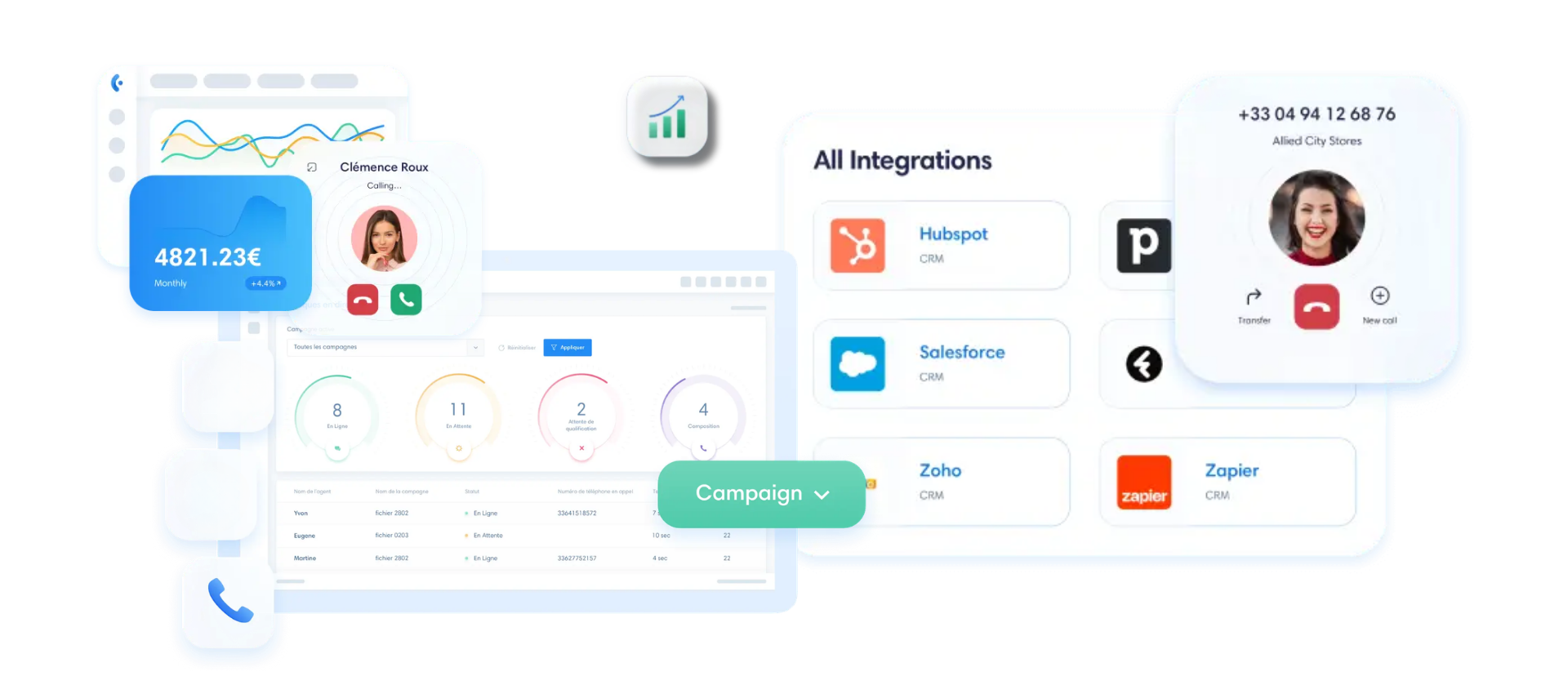
Kavkom integrates directly with the leading CRMs on the market: Salesforce, HubSpot, Pipedrive, Zoho, and Zendesk. And if you’re using a custom-built business tool, the open REST API lets you connect your ERP or internal ticketing system without any limits.
Every phone interaction enriches your understanding of the customer instead of being lost. The history remains centralized, accessible with a single click, and GDPR-compliant. Your support team becomes more productive, and personalized responses follow naturally.
A customer who is supported from start to finish is a customer who feels valued. And that builds loyalty.
👉 Explore Kavkom’s CRM integrations tailored to your needs.
Driving Performance: KPIs for Telephone Customer Service
Do you manage your customer service based on gut feeling, without specific numbers? That’s the surest way to never know where the problems lie.
A telephone customer service department that improves is one that’s measured. Here’s the dashboard to follow, and the key metrics to keep in mind so you can manage your operations without getting lost in the data.
Let’s start with the three indicators of reachability. The answer rate measures the percentage of calls answered out of all calls received. The average wait time tells you how many seconds a customer waits before an agent answers. And the average handling time (AHT) tracks the duration of a call, from the moment it’s picked up until resolution.
These three form the foundation of your telephone customer service KPIs. Does your answer rate drop on a Monday morning during a sale? That’s a sign you need an overflow queue or extra staff.
Now, the key KPI—the one that measures both efficiency and perceived quality.
First Contact Resolution (FCR) calculates the percentage of requests resolved in a single call. A customer who gets their answer on the first try leaves satisfied—and doesn’t call back.
Its counterpart is the recontact rate. If a customer returns twice regarding the same issue, it means the case was handled poorly. Cross-reference the two, and you’ll quickly identify your weak spots.
Then there’s CSAT, which measures satisfaction immediately after the call. One simple question, one rating, and you’ll know whether the interaction lived up to expectations.
Let’s be honest about one thing: public e-commerce call center benchmarks for 2024–2026 remain scarce for both inbound and outbound calls. The clearest industry benchmark relates to customer loyalty, with a general e-commerce retention rate ranging from 25% to 40%. And a good FCR has a direct impact on that.
To track all of this in real time, Kavkom dashboards report these metrics at no additional cost, andreviewing recorded calls helps you coach your agents on instances where the FCR fell short.
Continuous Improvement: Recording Customer Service Calls and Coaching Agents
Your agents respond quickly, but are they responding effectively? Without listening back to what’s said on the phone, you’re flying blind.
Recording customer service calls is a game-changer. Not to micromanage your teams, but to identify the real pain points and fine-tune the quality of responses.
Let’s look at a real-life example. An agent keeps getting stuck on refund disputes, and the customer leaves frustrated. By listening back to three or four of these calls, you can see exactly where the problem lies: a vague script, a hesitation, or missing information. You correct it, set a good example, and the agent improves.
That’s where real-time supervision really comes into its own. With Kavkom, a manager can listen in on a call in real time, without the customer knowing. And if the agent gets stuck on a difficult case, the “whisper” mode offers advice right in their ear. The customer hears nothing. The agent gains confidence right then and there.
That’s the logic behind customer service agent coaching: support, not constant monitoring. You identify recurring mistakes, share best practices, and track progress call by call.
Now, the topic many people overlook: GDPR compliance. Recording calls isn’t a blank check.
The CNIL sets a clear framework. Recording must remain necessary and proportionate; it must never be permanent or systematic for 100% of conversations. Here are a few rules you must absolutely follow:
- Inform each caller at the beginning of the call about the purpose of the call, the right to access information, and the right to object.
- Limit the retention period to a maximum of 6 months for training and quality control purposes.
- Restrict access to managers, trainers, and the quality team only.
Good news: At Kavkom, files are encrypted, stored in the cloud, and accessible by user profile. Call quality improves, compliance is maintained, and your agents develop their skills without feeling monitored.
I recommend it without hesitation
With Kavkom, I was able to easily resolve the issue of communication costs with my regular customers. My agents were also no longer limited in their mobility, since communications are handled even when they’re on the go.

What will your rating be?
Request a demo nowDeployment Plan: Set Up a VoIP Phone System for E-Commerce Without a Major IT Project
You know the process, but one concern is still holding you back: Does deploying a new phone system mean weeks of installation work and a technician on-site? Not with the cloud.
A VoIP phone system for e-commerce operates entirely over the Internet. No PBX to wire, no mandatory hardware, no waiting for delivery. Your calls go through SIP lines hosted in the cloud, accessible via a webphone, a cell phone, or a physical IP phone if you already have one.
Here’s what that means for you: a VoIP switchboard can be up and running in minutes, not days. Immediate activation isn’t just a marketing gimmick—it’s standard practice for a well-executed cloud deployment.
It takes just four steps to go from a number that rings unanswered to a structured customer service operation:
- Activate your accounts and virtual numbers from the interface, with no on-site installation required.
- Configure your IVR and call queues based on the call reasons outlined above.
- Assign your agents to groups based on their skills, and set access rights by profile.
- Make a few test calls to verify network quality before the full switchover.
You’ll need about a morning to cover the basics. A store that needs to set up ten workstations on Monday will be up and running by the afternoon—without any major IT projects or outside contractors.
And that’s where the Kavkom model really shines for e-commerce. You operate with no long-term commitment, and billing is prorated. In August, your store is running at a slower pace. You suspend some of your product lines and pay only for the time you actually use. Then you reactivate everything before Black Friday—in just a few minutes.
This contractual flexibility is perfectly suited to the seasonal nature of e-commerce customer service. You can handle the peaks and smooth out the valleys without ever being locked into a 24-month contract.
Now it’s time to see how this all works in real-world conditions, with your own call volume in mind.

Boost your sales teams’ productivity with Kavkom, the 100% cloud-based business phone system.
Schedule a demo
Key Takeaways for Your Phone-Based Customer Service
- Plan Before Setting Up: Identify your most common call reasons to configure a short IVR that qualifies calls from the very first second.
- Automate routing: Use a cloud-based call center system to direct each call to the most qualified agent, ensuring efficient handling without any loss of information.
- Measure to Improve: Monitor your operations using reachability KPIs such as answer rate and FCR (First Contact Resolution), which are essential for evaluating the true quality of your customer service.
- Centralize your data: Integrate your phone system with your CRM to eliminate manual data entry and give your representatives a complete view of customer history with just one click.
Effective e-commerce customer service doesn’t rely on a multitude of complex tools, but on the smooth flow of your interactions. By integrating your incoming calls with your business systems and coaching your teams using objective data, you can transform a cost center into a real driver of customer loyalty. If you’d like to compare different approaches to structuring your communication infrastructure, our guide to choosing a business phone system can help you refine your requirements.
To set up this system without any technical constraints, you can schedule a free demo with our team. You’ll learn how to activate your lines and configure your routing in just a few minutes—with no obligation and no hardware to install.