Call management remains a central issue for many companies. Customers, prospects, partners… everything is still often done by telephone. But organizations have changed. Teams now work in offices, from home and on the move. A telephone switchboard physically installed in an office quickly becomes limited.
It’s against this backdrop that remote switchboards have come into their own. The principle is simple. Company calls are managed via a cloud platform accessible via the Internet. Employees can answer calls from their computer, mobile app or IP phone, without having to rely on an on-site installation.
For a company, this means maintaining a professional call organization while gaining in flexibility. Incoming calls can be automatically distributed to the right teams, managers can monitor telephone activity, and employees remain reachable wherever they work. It’s this evolution in corporate telephony that we’ll be taking a closer look at in this guide.
Points to remember
- A remote switchboard lets you manage your company’s calls via a cloud platform accessible via the Internet.
- Incoming calls can be automatically routed to the right department or employee using routing rules.
- Teams can answer calls from a computer, mobile application or compatible IP phone.
- Cloud standards often include features such as interactive voice server, call queuing, call recording and activity dashboards.
- This approach simplifies telephony management for companies with multi-site or telecommuting teams.
What is a remote switchboard?
A remote switchboard is a system for managing a company’s calls without physical installation in the office. The switchboard is hosted in the cloud and operates via the Internet. Incoming calls arrive on the company’s business number, and are automatically routed to the right employee or department.
In a traditional switchboard, everything is based on equipment installed on site, often called a PABX. This type of infrastructure requires hardware, maintenance and technical intervention to evolve. With a remote switchboard, the logic is different. The system is entirely software-based, accessible via an online interface.
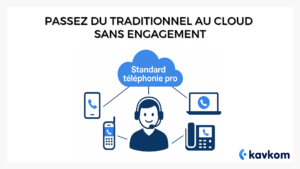
In practical terms, this means that teams can manage calls from multiple devices. An employee can answer from his or her computer via a softphone (telephony software), from a mobile application or from a compatible IP phone. The switchboard remains the same for the whole company, wherever the teams are located.
This type of switchboard is generally based on VoIP (Voice over IP) telephony. Voice is transmitted via the Internet rather than the traditional telephone network. This technology makes it possible to centralize call management, create distribution rules and easily add new lines or users.
For a company, a remote switchboard acts as a call management center. For example, it can be used to set up a voice menu, distribute calls between several teams, transfer a call to a colleague, or monitor telephone activity.
The major difference with previous standards is flexibility. Modifications no longer require technical intervention on physical equipment. Administrators can manage users, call rules or schedules directly from the management interface.
How does a remote switchboard work?
The operation of a remote switchboard is based on a simple logic. Calls arrive on the company’s business number, then the system automatically decides which employee or department to direct them to.
Everything happens in the cloud. Call distribution rules are configured from an online management interface. Once these rules are in place, the switchboard automatically applies the planned scenario.
Let’s take a concrete example.
A customer calls a company’s main number. The switchboard may first trigger an interactive voice response (IVR)interactive voice response (IVR). The customer then hears a message like: “Press 1 for sales, 2 for customer support”.
Depending on the choice made, the call is then routed to the corresponding team. If several agents are available, the switchboard can automatically distribute calls between them.
This system is based on several key mechanisms.
Call reception and routing
When a call arrives, the switchboard applies routing rules. These rules determine :
- which service to send the call to
- which agent should respond
- what to do if nobody picks up
For example, the call can be transferred to another member of staff or placed in a queue.
Distribution to teams
In many companies, calls are not intended for a single person, but for a team. The switchboard can then distribute calls according to different logics:
- distribution to available agent
- circular distribution among several agents
- prioritization of certain employees
This helps avoid missed calls and distributes the workload more evenly between teams.
Management from an online interface
One of the great advantages of a cloud switchboard is its ease of management. Administrators can change settings directly from the dashboard:
- add a new user
- modify a call scenario
- change opening hours
- track call activity
These modifications take effect immediately, without any technical intervention on a physical installation.
Use by employees
It’s easy for teams to use. Each employee has access to the telephony system via :
- a computer softphone
- a mobile application
- a compatible IP phone
Regardless of the device used, calls go through the same switchboard. Employees can therefore stay in touch and continue to manage their business calls, even when teleworking or on the move.
It’s this cloud architecture that today enables companies to manage their telephony in a much more flexible way than with the old standards installed on site.
Why companies are switching to remote switchboards
The move to a remote switchboard is a response to a very real change in the way companies operate. Teams no longer all work in the same office, and organizations need to be able to manage their calls without relying on a physical facility.
A cloud switchboard allows you to maintain a clear call structure while giving your teams greater flexibility.
Teams available everywhere
With an on-site switchboard, calls are usually linked to a specific extension in an office. This works well in a centralized organization, but becomes more complicated when employees work remotely.
A remote switchboard, on the other hand, enables the same call system to be used from multiple work environments. An employee can answer calls from his or her computer, mobile application or compatible IP phone, while retaining his or her business number.
For companies that use telecommuting or have several offices, this flexibility quickly becomes indispensable.
Easier installation
Older switchboards often required on-site technical infrastructure. Hardware installation, network configuration, maintenance… every change required technical intervention.
With a cloud standard, the logic is different. The system is already hosted on a remote infrastructure. All the company has to do is create users, configure call rules and assign the necessary numbers.
This approach greatly simplifies deployment, especially for companies that need to rapidly equip a sales team or customer service department.
Better visibility of telephone activity
In many teams, the telephone remains an important channel for customer relations or prospecting. Managers therefore need to understand what’s happening on the calls.
Cloud switchboards can be used to track a number of useful indicators.
- incoming and outgoing call volume
- caller waiting time
- team drop-out rate
- average call duration
This information helps managers to better organize their teams, and identify friction points in call handling.
Telephony better adapted to business tools
Remote switchboard solutions can also be integrated with the tools used by teams, particularly CRMs. For example, when a customer calls, his or her details can be automatically displayed on the agent’s screen.
This synchronization makes it possible to retrieve the history of interactions more quickly and avoid manual handling between several applications.
For sales and customer service teams, this connection between telephony and business tools simplifies day-to-day work and improves continuity in customer relations.
What features can you expect from a remote switchboard?
A remote switchboard does more than just receive and transfer calls. It is also used to organize call distribution, structure telephone reception and monitor team activity.
Depending on the company’s needs, a number of features quickly become useful for seamless call management.
Interactive Voice Response (IVR)
The interactive voice response, often referred to as IVR, is the welcome menu that callers hear when they contact a company.
A welcome message, for example, may offer several choices:
- press 1 for sales
- press 2 for customer support
- press 3 for billing
Each choice then directs the call to the right department. This type of menu makes it easier to direct calls and avoid customers being transferred several times.
Intelligent call routing
Call routing defines how calls are distributed within the company.
Several rules can be implemented:
- send the call to a group of agents
- direct the call to the available agent
- transfer the call to another department if no one answers
These rules can also take into account the caller’s opening hours or time zone.
Agent groups and queues
When a department receives a lot of calls, the switchboard can distribute the calls among several employees.
Incoming calls are queued until an agent is available. This avoids missed calls when all staff are already on the line.
This logic is often used in customer services or sales teams handling high call volumes.
Call recording
Call recording keeps a record of telephone conversations. This feature is often used for :
- team training
- monitoring the quality of exchanges
- management of certain customer situations
Managers can replay calls to analyze how a conversation went, and support teams as they progress.
Statistics and activity monitoring
Cloud switchboards also offer dashboards for monitoring telephone activity.
Managers can access various information such as :
- number of calls handled
- average conversation time
- caller waiting time
- agent availability
This data enables us to better understand how calls are organized, and to adjust resources if necessary.
Integration with CRM tools
In many companies, telephone calls are linked to customer relations. Cloud telephony solutions can therefore connect to the CRM tools used by teams.
When a call comes in, the customer’s file can be displayed automatically, with all available information: exchange history, orders, previous notes.
Calls can also be recorded in CRM to keep track of interactions with each contact.
This integration enables teams to retrieve information more quickly and maintain continuity in customer care.
Remote switchboard vs. conventional switchboard
For a long time, companies used telephone switchboards installed directly on their premises. These systems were based on physical equipment, often called PABXs, which centralized incoming and outgoing calls.
This type of infrastructure still works in some organizations, but it has a number of limitations when teams work across several sites or remotely.
The remote switchboard is based on a different logic. The system is hosted in the cloud, and calls are routed via the Internet using VoIP telephony. The company no longer needs to install or maintain a telephone infrastructure in its offices.
Here are the main differences between these two approaches. To understand the benefits of a cloud switchboard, it’s useful to compare how it works with a conventional, on-site switchboard.
| Criteria | Classic switchboard | Remote switchboard |
| Installation | Equipment installed on company premises | Platform hosted in the cloud |
| Deployment | Technical intervention required | Online configuration |
| System evolution | Adding lines is often more complex | Add users in minutes |
| Team mobility | Mainly for office use | Use from the office, telecommuting or on the move |
| Maintenance | On-site equipment maintenance | Maintenance managed by the cloud solution |
This move to the cloud is in line with new ways of working. Companies today are looking for more flexible telephony systems that can follow their teams wherever they work.
With a remote switchboard, companies can more easily adapt their call organization. Add a new user, create a group of agents or modify a call scenario directly from the management interface.
For sales teams, customer services or in-house call centers, this flexibility means you can structure call management without having to rely on a heavy telephone installation.
How to set up a remote switchboard in a company
Setting up a remote switchboard is generally simpler than a traditional one. As the system is hosted in the cloud, the company doesn’t need to install a telephone infrastructure on its premises.
The configuration is mainly based on the organization of calls and the creation of users.
Identify the company’s needs
Before setting up a switchboard, you need to understand how calls are to be handled.
Several questions help structure this stage:
- how many employees are needed to answer calls
- which departments should receive calls (sales, support, administration, etc.)
- how many calls are received each day
- should there be queues or a voice menu?
This analysis is used to define the switchboard structure and how calls will be distributed.
Configuring numbers and users
Once you’ve identified your needs, you need to create users and associate business numbers.
Each employee has :
- a direct number
- or access to a number shared with a team
In some organizations, a main number is used to receive incoming calls, then direct them to different departments.
Define call distribution rules
The next step in configuring the switchboard is to define call scenarios.
For example:
- a voice menu to guide callers
- a group of customer service agents
- automatic transfer to another service if no one answers
Schedules can also be configured. Outside business hours, calls can be redirected to voicemail or to an information message.
Equipping employees
Employees can then use the telephony system from a variety of devices:
- a softphone installed on their computer
- a mobile application
- a compatible IP phone
All these devices connect to the same switchboard. Teams can therefore manage their calls from any work location.
Train teams and monitor activity
Once the switchboard has been activated, employees need to familiarize themselves with the main functions: answering calls, transferring a conversation, consulting the history or using the dashboard.
Managers can then monitor telephone activity using the available statistics. This makes it possible to identify periods of high activity and adjust team organization if necessary.
With a remote switchboard, the company can evolve its configuration over time. Adding a new user, modifying a call scenario or creating a new group of agents is done directly from the management interface, without any on-site technical modifications.
Use cases: sales and customer service teams
In many companies, the telephone remains a central channel for communicating with customers and prospects. A remote switchboard can help organize these exchanges and distribute calls more evenly between teams.
Different businesses have different needs. Sales teams and customer services departments often use the switchboard in different ways.
For sales teams
In a sales team, calls are often used to contact prospects, follow up opportunities or respond to incoming requests.
For example, a remote switchboard can :
- distribute incoming calls among several sales representatives
- keep a single professional number for the company
- track the volume of calls made by the team
Sales managers can also analyze telephone activity to better understand how teams interact with prospects.
When telephony is connected to CRM, sales staff can see the contact details when a call comes in. This enables them to quickly access customer or prospect information before answering.
For customer services
Customer services departments are often receiving a higher volume of calls. Call organization therefore becomes essential to avoid missed calls or long waiting times.
A cloud switchboard allows you to set up several useful mechanisms:
- queues to manage incoming calls
- automatic distribution to available agents
- transfer rules if a call is not answered
Customer service managers can also track indicators such as the number of calls handled or average waiting time.
This information can be used to adjust the size of the team or the organization of time slots when telephone activity increases.
For distributed teams
More and more companies are operating with teams spread over several sites, or telecommuting. In this context, a remote switchboard helps maintain a consistent call organization.
All employees use the same telephone system, even if they work from different locations. Calls are automatically distributed to the available agents, without callers needing to know where the teams are located.
This organization makes it possible to maintain a structured telephone service, while giving staff greater flexibility in the way they work.
Why a cloud solution like Kavkom simplifies switchboard management
A remote switchboard generally operates via a VoIP telephony solution hosted in the cloud. The company accesses the system from an online interface and can manage its calls without having to install an on-site telephone infrastructure.
With this type of approach, the aim is to simplify call management while giving teams the tools they need to work efficiently.
A 100% cloud switchboard
With a cloud solution, the switchboard is hosted on a remote infrastructure. The company doesn’t need to install any specific hardware to manage its calls.
Users simply access the platform from their computer, mobile application or compatible IP phone. Calls are then managed by the switchboard, wherever employees are located.
This architecture makes it possible to use the same telephone system for teams located in different offices or working from home.
Centralized call management
A cloud switchboard lets you control the organization of calls from a single dashboard. For example, administrators can :
- create or delete users
- configure agent groups
- define call routing rules
- modify opening hours
These adjustments can be made directly from the management interface, without any technical modifications to the physical equipment.
Useful tools for sales and customer service teams
Teams who use the telephone a lot often need functionalities to monitor their activity and structure their exchanges with customers.
A cloud telephony solution like Kavkom offers tools designed for sales teams and customer services: call supervision, activity statistics and CRM integration.
- incoming and outgoing call management
- call recording
- dashboards to monitor telephone activity
- integration with CRM tools
These features enable teams to better monitor their telephone interactions and organize their work around calls.
A flexible solution for companies
Not all companies have the same telephony needs. Some use the telephone for sales prospecting, others for customer support or partner relations.
With a cloud solution, switchboard configuration can be adapted to suit the company’s organization. Teams can evolve, new employees can be added and call rules can be adjusted over time.
In the case of Kavkom, the platform operates on a no-commitment, pro-rata basis. A company can therefore adapt its use of the service according to its needs, for example during periods of greater or lesser activity.
This flexibility enables teams to deploy a structured switchboard without committing to a heavy technical infrastructure.
FAQ: Remote switchboard
How much does a remote switchboard cost?
The price depends on the number of users and the features included. Cloud solutions are generally billed on a per-user, per-month basis. For example, a solution like Kavkom offers around €30 per user per month, with no commitment and pro rata billing.
Do I need to install any hardware to use a remote switchboard?
No. A remote switchboard operates in the cloud. Users can make and receive calls from a computer, mobile app or compatible IP phone. No physical switchboard installation is required in the office.
Is it possible to use a remote switchboard when teleworking?
Yes. Employees can access the switchboard from anywhere with an Internet connection. Calls are automatically distributed to connected users, whether they work in the office, at home or on the move.
What’s the difference between an IPBX and a cloud switchboard?
An IPBX is an Internet-based telephone system that can be installed on company premises. A cloud switchboard operates entirely remotely, and is hosted on the provider’s infrastructure. This means the company doesn’t have to manage any on-site telephone equipment.
Conclusion
Remote switchboards enable companies to manage their calls without relying on office-based equipment. Calls are centralized in a cloud-based system that can be used by teams working in the office or remotely.
This approach simplifies call organization. Companies can distribute calls between several teams, monitor telephone activity and adapt their configuration over time, without any on-site technical modifications.
A cloud telephony solution like Kavkom lets you set up this type of switchboard quickly, with no commitment and pro rata billing, while maintaining structured call management for sales teams and customer services.