Depending on which store your customer calls, the customer service experience is completely different. Two rings and a professional message here. Total silence next door.
To them, it’s all the same brand. To you, it’s ten stores each handling their own calls on their own, with no one at headquarters seeing what’s being lost.
And on a busy Saturday, what’s being lost are calls that go straight to the competition.
Here’s how to set up a phone system for a multi-location business that centralizes call handling (IVR, hours, routing) without installing any equipment in the stores. We’ll look at the architecture, a routing plan tailored for retail, and how to keep the budget under control—with no long-term commitment and on a pay-as-you-go basis.
Why a retail franchise’s phone reception requires a centralized approach
You manage a network of stores and have no doubt noticed something frustrating: depending on which store is called, the customer service experience is completely different.
One store picks up after two rings with a professional greeting. The next one lets the phone ring endlessly. A third one transfers the call to a number that hasn’t been answered in three months. To your customers, it’s all the same. To them, the experience should be consistent across the board.
That’s where phone systems for multi-location businesses make all the difference. When each store handles its own calls, you lose control over the quality of customer service. And you miss calls.
Let’s consider peak times. One Saturday afternoon, a store receives 30 calls in an hour. With a decentralized system, half of those calls go unanswered while the salespeople are at the register. Every missed call means a customer calls the competitor next door.
The real problem is organizational: implementing a standardized call-handling system for a retail franchise. You want customer service to be consistent, for hours to be adhered to, and for overflow calls to be routed to another available store rather than to no one.
With a centralized cloud-based phone system, you can manage all of this from a single interface. Kavkom lets you set routing rules that apply across the entire network: an identical IVR, call groups that switch automatically, and management of business hours by store.
A call that can’t be answered at a store can be redirected to headquarters or to a nearby store that’s still open. No more missed calls, no more random call handling.
And all of this can be implemented without installing any hardware at each retail location. To learn more about this topic, here’s our guide to multi-line phone systems.
👉 Learn how to equip your retail network with Kavkom.
The Architecture of a Telephony Solution for Multi-Site Businesses
Forget the image of a PABX system bolted down in a utility room, with its cables and a technician who spends a day at each store.
Today, the infrastructure is hosted in the cloud. A cloud-based phone system for franchises (also known as a cloud PBX or IP Centrex) centralizes all call management in a single web interface. You manage the entire network from a web browser, without installing a single device at your retail locations.
This phone system for multi-location businesses is based on VoIP. Calls are routed over the Internet, not through a copper line. As a result, you can add a store to the network in just a few minutes, configure its business hours and call routing from headquarters, and have it up and running that very afternoon.
Local and international virtual numbers for each store
Each store needs its own local number. A customer in Lyon is more likely to pick up the phone when they see a 04 number than if the number were from the other side of the country.
With Kavkom, you can assign geographic virtual numbers by store in more than 50 countries. A retailer opening a location in Madrid can get a Spanish number starting with +34, even without a physical office there. The local presence is established, while the infrastructure remains centralized.
And if your stores already have phone numbers, you can keep them. Number portability for existing business numbers means you won’t have to reprint all your signage or notify every customer of the change.
Here’s what this means for a retail chain:
- You can keep each store’s existing phone numbers thanks to number portability.
- You can set up a local number in a new city with just a few clicks.
- You strengthen your connection with customers through a local number, even when managed remotely.
Important note: A Kavkom landline number is not a traditional landline. It’s a number accessible via the Internet that your teams can use no matter where they are. Some people actually prefer to connect a physical VoIP-compatible phone to it rather than using the keypad on a webphone or softphone.
Softphones, webphones, and physical IP phones at no extra cost
Your customer service representatives aren’t all in the same location. Some are at the register, others are working remotely, and still others move from one store to another. The question is: how do they answer calls?
Using whatever they have on hand. The webphone works directly in the browser, with no installation required. The softphone (a desktop or mobile app) takes over for those on the go. An appointment scheduler receives the call on their cell phone, then continues the call on their desk phone when they return to the office.
And here’s what sets us apart when it comes to retail budgets: if you prefer a real handset on the counter, you can plug in a physical IP phone at no extra cost. While others charge extra for this hardware connection as an optional feature, at Kavkom it’s included.
A store can equip its front desk with an IP phone, while the mobile agent works on the app and headquarters monitors the situation via its webphone. Three VoIP terminals, one unified system, zero installation fees.
To learn more about how this infrastructure works, take a look at the details of the Kavkom VoIP telephony solution.
👉 Discover Kavkom’s VoIP phone service to optimize your business communications.
Developing a Call Routing Plan and IVR Tailored to the Retail Industry
A good call routing plan is what separates a customer who is served in ten seconds from one who hangs up in frustration.
The principle is simple: every call must be routed to the right place without anyone at headquarters having to do anything. Let’s see how to set up this process store by store.
The Interactive Voice Response (IVR) System to Screen Calls
You know the scenario. A customer calls, gets an overwhelmed sales representative, and is transferred three times before getting an answer.
The IVR (Interactive Voice Response) handles this upfront. It’s the voice menu that greets the caller and directs them: “For the Lyon store, press 1. For customer service, press 2.” In just a few seconds, the request is categorized and forwarded to the appropriate representative.
For a retail chain, the benefit of a phone system designed for retail franchises is that the menu is structured in multiple levels. First level: the specific store. Second level: the desired service (sales, customer service, order taking). You maintain control over the entire menu tree from the interface.
And Kavkom’s multi-level IVR is included out of the box, with no additional modules to purchase. You configure the custom voice menus once, and every store in the network inherits the same greeting logic.
A customer who calls your business hears the same professional message, whether they’re calling from Marseille or Lille. Intelligent call routing does the rest: it directs the call to a qualified agent based on expertise or language if you serve multiple countries.
The result for your customers: shorter wait times, fewer transfers, and service that no longer depends on the availability of the agent closest to the phone.
👉 Kavkom is compatible with all your sales team’s tools. Be sure to set up your IVR with Kavkom.
Rules for call overflow and multi-store call forwarding
Classifying a call is all well and good. But what happens when no one picks up?
That’s where overflow rules come into play. If a store is overwhelmed on a Saturday afternoon, the call doesn’t go unanswered. It’s automatically routed to a nearby store that’s still open—or to headquarters. You smooth out the peaks and save the call.
This automatic call routing is based on call groups that you set up in advance. Is Store A busy? The call is routed to Store B. Still no answer? The corporate office takes over. Service continuity is maintained without any manual intervention.
And as for business hours, the system handles everything on its own. Here’s what you set up once and for all:
- Opening hours by store, with a message displayed in the evening.
- A personalized message for holidays and special closures.
- A smart queue system that keeps customers waiting rather than losing them.
Let’s take a national holiday, for example. Instead of having thirty closed stores go unanswered, you send out a standard message and redirect urgent inquiries to headquarters. Your customers get a response, even when the doors are closed.
This call-forwarding system is an integral part of centralized multi-location retail telephony. You manage the call overflow rules from a single interface, and every store uses the same safety net.
As a result, no calls are ever lost because there’s no one to answer them. This is exactly what a retail network expects from its call center.
Monitoring the Performance of the Store Network
You’ve set up the routing, the IVR, and the overflow rules. Everything is up and running. But how do you know if it’s really working?
You measure it. A call center that isn’t monitored is one that can’t be improved.
Two metrics matter most for a retail chain: the answer rate—how many calls actually get answered across all your stores—and the average wait time—how many seconds your customers wait before someone answers.
Let’s look at a concrete example. The dashboard shows that the Bordeaux store answers 95% of its calls, while the Toulouse store tops out at 60%. You’ve identified your area for improvement: staffing, hours, or organization—something isn’t right in Toulouse.
With Kavkom, these call KPIs are accessible in real time from a single interface, either by store or for the entire network. Call volume, answer rate, call duration, and breakdown by agent. And these statistics are included out of the box, with no additional fees or premium plans to unlock, as is often the case elsewhere.
Now, the numbers tell you what needs to be corrected. But how do you train your teams on the ground?
That’s where real-time monitoring comes in. From a live dashboard, you can see ongoing calls, available agents, and queues that are getting longer. If a new sales representative is having trouble with a difficult customer, you can listen in on the call in real time.
Better yet: you can whisper the right answer in their ear without the customer hearing a thing. This is called “whisper mode” (discreet coaching mode). The agent stays in control, and you guide them in real time. And if the situation really goes south, you can take over the call.
For cold team coaching, call recording does the rest. Every incoming and outgoing call is archived in the cloud, accessible by store and by agent.
Here’s what this enables in a retail network:
- Review the best calls to use them as training templates for the store.
- Identify recurring customer objections and prepare the right responses.
- Track a new hire’s progress from their first week through the following month.
Recording also helps ensure your compliance, since everything is tracked and stored in accordance with the GDPR. This comes in handy when a customer dispute resurfaces.
Ultimately, you turn every call into actionable data. And when you measure your customer service, you can improve it, store by store.

Monitor your stores in real time, with no commitment, using Kavkom, the 100% cloud-based business phone system.
Schedule a demo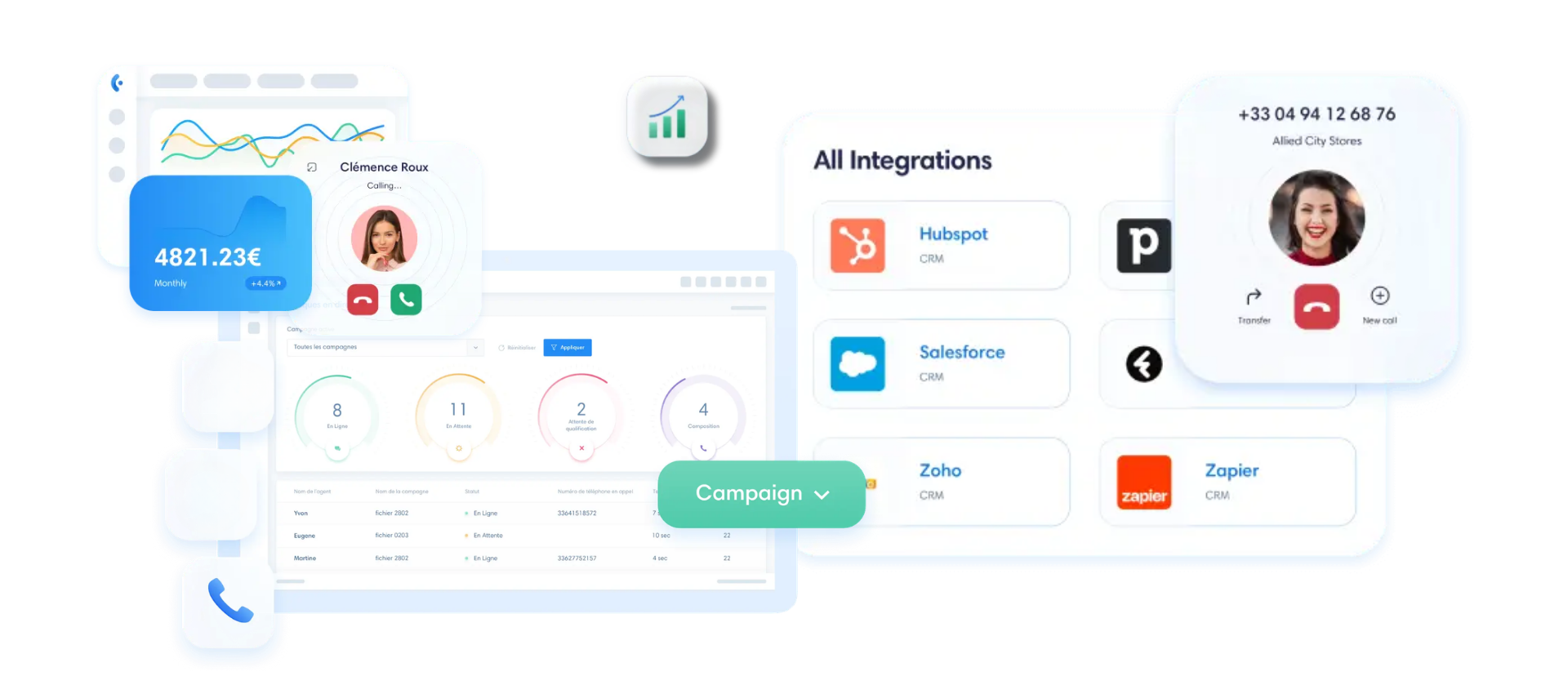
Business Phone Budget: How to Avoid Hidden Fees
You compare two plans, look at the listed price, and choose the cheapest one. Makes sense. Except that the monthly price almost never tells you what you’ll actually end up paying.
For a chain of stores, multiplying these unpleasant surprises by ten or twenty locations can really add up. Let’s take a look at what to check before signing anything.
The first pitfall is a long-term commitment. Many providers offer an attractive rate, but with a 12- or 24-month contract attached. The problem for a retail franchise: your network is constantly changing. One store closes, another opens, a sales associate leaves. If every change requires an amendment or has to wait until the contract ends, you lose flexibility.
With Kavkom, you’re free of any commitments. No minimum term, no minimum number of lines. You can adjust the number of users to keep pace with your network.
Second point, and this is a real benefit that’s often underestimated: prorated billing. Imagine a seasonal store that closes in August. Instead of paying the full monthly fee for an empty space, you can pause your service and pay only for the time you actually use it. When the store reopens in the fall, you can reactivate your service.
Compared to a plan that barely offers a 25% discount in the summer, paying only for what you use is still more cost-effective. For a network with retail locations that have varying levels of activity, this changes the budget calculation.
Third thing to watch out for: unlimited calls. Be wary of “fair use” clauses that quietly place limits on “unlimited” plans. You think you’re calling without limits, but once you exceed a vague threshold, your bill skyrockets.
With Kavkom, the €8 plan is an annual subscription that covers only incoming calls. For unlimited incoming and outgoing calls to mobile and landline numbers in France, expect to pay €30 per month, with no contract commitment. And the unlimited plan is billed at the start of the month, with no hidden caps. Here are the details to look for in any plan:
- A monthly subscription per line, with truly unlimited service.
- Installation and setup fees, often listed at the bottom of the quote.
- Equipment: 100% software-compatible or a terminal billed as an optional extra.
- Termination conditions: cancellation fees, changes to the equipment inventory.
The right approach is to consider the total cost over 12 to 36 months, not just the advertised monthly price. And at Kavkom, all features (IVR, monitoring, recording) are included, with no additional fees or premium modules to unlock.
You can recognize a transparent offer by one thing: the advertised price is the price you pay, with no surprise charges on the bill.
👉 Kavkom is compatible with all your sales team’s tools. Check out Kavkom’s pricing with no obligation.
A 5-Step Plan for Deploying a Cloud-Based Phone System for a Franchise
Deploying a new phone system to fifteen or twenty stores all at once is probably daunting. And you’re right.
The risk is a service outage. A store without a phone for a day means lost sales and frustrated customers. So you don’t switch everything over overnight.
The right approach is a gradual migration in waves of locations. You test it in one store, validate it, then roll it out to the rest of the network. Kavkom handles the technical side, while your teams maintain control over business operations. Here are the five steps to pull it off without a hitch.
Step 1: Audit the Current System and Check for Number Portability
It all starts with a telecom inventory. You list every number for each store, its current carrier, and the type of line associated with it.
This phone audit prevents oversights on the day of the switchover. A number that gets left out means a store that can’t be reached.
Next comes the request for number portability. You keep the original numbers for each store without having to reprint your signage or notify your customers. The line transfer is prepared in advance to ensure a seamless migration: the number remains active on the old network until the actual switchover to Kavkom.
Take this opportunity to assess your hardware needs. Some stores will want a physical IP phone on the counter, while others will be satisfied with a webphone. At Kavkom, the connection for an IP phone is included, so the choice is based on actual usage, not on additional costs.
Step 2: Configuring the IVR and Business Hours
Once you’ve secured the phone numbers, you’ll set up the greeting. This is where your brand’s identity takes shape over the phone.
First building block: message recording. A personalized greeting that introduces your brand, a hold message while the customer waits, and a closing message for the evening. You set the tone once, and every store uses the same voice.
Next, you’ll need to set the opening hours for each store. Does Lyon close at 7 p.m. and Marseille at 8 p.m.? You can configure each time slot independently, and the system automatically switches to the evening message when the store closes.
That leaves the voice menu tree. You build the IVR configuration level by level: first select the store, then the service. This interactive menu is replicated across the entire network via the interface, without having to repeat the process store by store.
Since the IVR is natively included with Kavkom, you can adjust the voice menu structure as many times as necessary, with no additional charges for each modification.
Step 3: Configuring Call Groups and Routing
The greeting is set up. Now, who answers which calls?
You create call groups by store or by department. The “Bordeaux Customer Service” group includes authorized representatives, while the “Lille Sales” group includes others. Each call routed by the IVR is directed to the appropriate group.
Next, you choose the call distribution mode. In simultaneous mode, all extensions in the group ring at the same time. In sequential mode, the call is routed from one agent to another in a defined order. For a store with two salespeople, simultaneous routing ensures that no call is put on hold. For a structured call center, sequential routing ensures that priorities are followed.
Skill-based routing further refines the process: an English-speaking caller is routed to an English-speaking agent, and a technical inquiry is directed to the appropriate department.
And this is where CRM integration comes into play. With automatic customer profile retrieval, the agent sees the customer’s complete history as soon as the phone rings. Kavkom integrates natively with Salesforce, HubSpot, Pipedrive, or Zoho. No more manual data entry—the call and its notes sync with the CRM.
Step 4: Testing and Validation Phases on a Pilot Site
Before rolling out the solution company-wide, validate it at a pilot location. This is the step most people skip—and it’s the one that ensures a successful deployment.
Choose a representative store—not the smallest, quietest one, but a location with a significant volume of calls and a manager who’s motivated to provide feedback.
Next, it’s time for call scenarios. You test each specific case:
- A standard incoming call that follows the IVR to the correct agent.
- A call outside of business hours that is routed to the after-hours message.
- A call is routed to another branch when the operator is busy.
- An outbound call with a customer record retrieved from the CRM.
This testing phase reveals the adjustments that need to be made. A voice menu that’s too long, a routing rule that causes a loop, a poorly configured call group. You can fix these issues in the pilot environment, at your own pace, before they affect twenty stores.
From experience, this is the step that turns a risky deployment into a smooth transition. You should only roll out the system widely once technical validation is complete and field tests confirm its success.
Step 5: Full-scale deployment and team training
The pilot is running, and the feedback is positive. You roll it out to the rest of the network, wave by wave.
The final rollout involves activating the ported numbers store by store. Since the configuration has been validated in the pilot, each new location inherits the same rules. A store goes live in just a few minutes, without the need for an on-site technician or equipment to be delivered.
It all comes down to the people. A multi-location phone system is useless if your salespeople don’t know how to use it. User training is intentionally quick: answering calls, transferring calls, and viewing customer profiles. The interface is designed so that an agent can work independently in just a few minutes.
For managers, you add a layer of supervision: view KPIs, listen in on calls, and provide live coaching.
And after the switchover, you’re not on your own. Kavkom support is available by phone, email, or WhatsApp, with remote assistance via AnyDesk if needed. Our teams are responsive: a manager stuck on a configuration issue gets an immediate response, without a chatbot or a support ticket that drags on for 48 hours.
This accessibility makes all the difference in adoption. Your teams get up to speed quickly, and your network gains a consistent customer experience without having to install any hardware.
Boost your sales teams’ productivity with Kavkom, the 100% cloud-based business phone system.
Schedule a demo
Key Takeaways for Your Retail Network
- Centralize customer service: A single IVR and common routing rules ensure a consistent customer experience, no matter which store is called.
- Deploy with ease: 100% cloud-based telephony eliminates the need for bulky hardware installations at each point of sale, speeding up the opening of new locations.
- Drive performance: Real-time monitoring and built-in analytics allow you to turn every call into an opportunity for coaching and continuous improvement.
- Control your budget: Opt for no-commitment plans with prorated billing to align with the operational reality of your retail network.
The transition to cloud-based phone service for your franchise isn’t just a technical decision. It’s an opportunity to standardize your brand image while freeing up time for your field teams. By centralizing call management, you eliminate operational friction points that result in costly missed calls, all without increasing your fixed costs—thanks to complete flexibility.
If you’d like to compare deployment options for your network in more detail, our guide to choosing a high-performance cloud solution will help you refine your strategy. To see how this works in practice, you can schedule a free demo with our experts to see how Kavkom adapts to your multi-store needs.