According to the Digital Decade report, only 22.9% of French companies use the cloud, well below the European average.
This reserve is not due to a lack of interest or capacity. Rather, it resembles a cultural caution in the face of technical innovation. An often healthy caution, in fact. Jumping on a trend just because it’s making noise sometimes leads to investing in tools that age badly or are never really used.
But the cloud is one of the exceptions. When it comes to business telephony, it offers simplicity, mobility and flexibility that are precisely what SMEs need to meet their operational challenges, with no hardware to maintain and no cumbersome contracts. In other words, caution is legitimate, but it shouldn’t prevent you from taking advantage of a model that has already proved its worth.
This guide is here to clear up any doubts. You’ll understand how a cloud-based proswitchboard works, what it does for teams, how to evaluate it and how to adopt it safely.
Points to remember :
- Despite an excellent digital infrastructure, French SMEs are still not adopting cloud solutions very much, despite the fact that a modern pro switchboard is based on this very simple, flexible logic.
- The cloud brings immediate benefits: rapid activation, no hardware, total mobility, reduced maintenance costs and the ability to adjust the system to the pace of the business.
- Structural features such as intelligent routing, IVR, real-time supervision, statistics and multi-media compatibility transform service quality and internal efficiency.
- Choosing a solution requires a precise assessment of call flows, supervision requirements, network quality, ease of configuration and integration with business tools.
- Setting up a cloud switchboard involves a few simple steps: define the reception structure, configure users, set call scenarios, test operation, then optimize using the data collected.


Boostez la productivité de vos équipe commerciales grâce à Kavkom, le logiciel de téléphonie d’entreprise 100% cloud.
Planifier une démo
Understanding the pro switchboard
What is a modern pro switchboard?
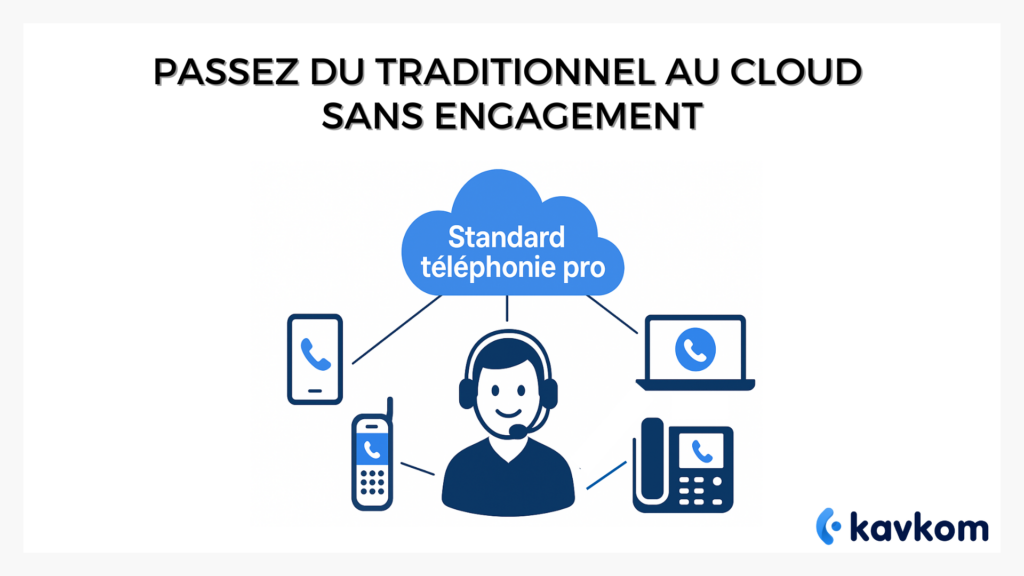
Today’s telephone switchboard has little in common with the boxes of yesteryear. Gone are the days when a technician would come and install a rack, pull cables or configure a physical switchboard. Today, the switchboard is based on VoIP, operates in the cloud and is controlled from an online interface.
A modern switchboard combines the management of incoming calls, distribution to teams and supervision tools that provide an overview of activity. The challenge is no longer simply to answer, but to organize, analyze and streamline every interaction.
The differences between a traditional standard and a cloud standard
With a historical model, every change was time-consuming. An exceptional opening, a call forwarding, a new employee or a transfer to another site often involved technical manipulations.
In contrast, the pro cloud switchboard offers immediate updates and centralized management.
| Function | Traditional standard | Standard cloud |
|---|---|---|
| Installation | Physical material | Online platform |
| Developments | Technical intervention | Instant modification |
| Mobility | Very limited | Use from anywhere |
| Multi-site deployment | Complex | Unified and centralized |
| Maintenance costs | Raised | Reduced or non-existent |
Companies gain in flexibility. Each employee can pick up the phone from his or her computer, smartphone or IP phone. The reception structure can be reorganized in just a few clicks. Information flows frictionlessly between teams.
Why choose a cloud switchboard?
Fast, affordable modernization
The first benefit is the absence of heavy infrastructure. No wiring, no boxes, no waiting. All you have to do is create an account, activate your numbers and configure your calling rules.
This approach means very rapid commissioning, with no need for technical intervention.
Lower management costs
Historical standards often lead to hidden costs. Adding a line, troubleshooting, maintenance, replacing equipment. Moving to the cloud eliminates these expenses.
Businesses benefit from a simple structure: a monthly subscription, with no commitment and adjustable according to activity.
The model is particularly well-suited to seasonal organizations, where activity varies greatly from one period to the next. Reducing, suspending or increasing lines becomes a simple administrative choice.
Advanced supervision for team leaders
A pro cloud switchboard isn’t just a reception tool. It’s also a dashboard that helps managers manage their teams. Live monitoring of calls, agent availability, response times, queue distribution – everything is available at a glance.
Supervision helps to understand where the team is performing well and where it is encountering obstacles. Managers can react quickly, adjusting workloads or coaching new employees.
A more seamless customer experience
A modern pro switchboard lets you create a personalized audio greeting, add an interactive voice server, define rules by schedule and structure calls according to the skills of each agent.
As a result, callers are directed more quickly to the right contact, reducing unnecessary transfers and improving perceived quality.
Siècle Digital regularly points out that the smoothness of the telephone experience has a direct impact on customer satisfaction, particularly in the service sector where the call remains the primary contact channel.
The essential features of a pro switchboard
Incoming call management and distribution rules
The heart of the system lies in the way calls are distributed. A switchboard must allow for several scenarios: turnstile, simultaneous distribution, priority to the available agent, distribution by skill or language.
This precision improves handling and avoids saturation, which irritates callers.
Interactive Voice Response (IVR)
The IVR, often referred to as a voice menu, guides the caller to the right service. In a business context, it needs to be simple, fast and personalized. A good IVR drastically reduces the number of unnecessary transfers.
Total mobility and multi-media
A modern switchboard works on computer, smartphone, tablet or IP phone. Teams on the move or working from home keep their business number and availability.
The experience remains consistent even outside the company walls.
Safety and compliance
Organizations deal with sensitive data. A cloud standard must therefore offer solid protection: encryption, fine-grained access management, traceability.
Safety is therefore a key factor in the choice of a standard.
Statistics and reporting
Decision-makers need a precise view of activity: pick-up rate, number of incoming calls, average duration, volume per agent.
This data enables them to identify peaks in activity, adjust teams and improve overall performance.
How to choose a professional switchboard
Identify your real needs
Before comparing solutions, you need to understand what your company needs. Number of agents, call flow, multi-site presence, telecommuting, multilingual reception, outbound campaigns.
Without prior analysis, functionalities appear without hierarchy and no longer reflect real needs.
Key questions
- How many incoming calls per day?
- Which time slots are sensitive?
- Are the teams split up?
- Are there any specific supervision requirements?
- How common is teleworking?
Check ease of activation and configuration
A pro switchboard must enable teams to get up and running quickly. Number activation, creation of call rules and user management must be accessible without technical intervention.
An important point to avoid blockages as soon as deployment begins.
Evaluate included features and subscription flexibility
The cloud model often allows you to choose an adjustable, no-commitment monthly subscription.
Some companies need unlimited outgoing calls, others only inbound reception.
Here again, you need to analyze what each type of offer really covers.
Compare network performance and audio quality
VoIP depends on the quality of the network infrastructure. So it’s essential to choose a provider that offers high stability, low latency and HD audio quality.
A switchboard is only as good as its reliability, even during peak periods.
Study supervision and reporting options
Team managers need real-time control.
Monitoring tools must be complete: agent availability, queues, history, statistics, recordings.
The ability to coach from the interface changes the learning dynamic for new agents.
Check the presence of integrations with your business tools
A switchboard must work with your CRM, your ERP, your internal tools.
The easier the integration, the more seamlessly telephony fits into your organization.
Introducing a simple, flexible cloud telephony solution
At this stage, you have a clear vision of what a professional switchboard should provide, and the criteria you need to keep an eye on in order to move forward serenely. This is precisely why Kavkom has positioned itself as a cloud telephony solution designed for sales teams and call centers.
The platform is 100% cloud-based, with no commitment, and prorated billing that adapts to off-peak or peak periods. You can activate virtual numbers, use a predictive predictive dialer to increase the volume of useful conversations, connect your CRM natively and benefit from responsive human support.
The goal: simple, flexible and comprehensive telephony, ready to support your organization from day one.
Boostez la productivité de vos équipe commerciales grâce à Kavkom, le logiciel de téléphonie d’entreprise 100% cloud.
Planifier une démoSetting up a pro cloud switchboard
Step 1. Define numbers and host structure
You need to determine which numbers are required (geographic, international) and how the reception will work.
A simple IVR is often enough: sales, support, accounting.
Step 2. Configure users and devices
Each employee receives an identifier, and can use a webphone, a mobile application or an IP phone.
The aim is to adapt to their habits without imposing hardware.
Step 3. Set up calling rules
The manager determines the scenarios:
If agent A does not answer, the call is forwarded to agent B.
If the reception desk is closed, a specific message is played.
If the number comes from a given country, it is directed to the appropriate group.
Step 4. Test and adjust
As with any system, a test phase is essential.
We check voice messages, transfers, distribution and audio quality.
Teams need to familiarize themselves with the interface.
Step 5. Supervise, analyze, optimize
Once the standard is in place, the accumulated data can be used to gradually adjust the structure.
Managers can add agents, modify rules or adapt queues to actual schedules.
Professional switchboard FAQs
Does a pro switchboard require special equipment?
No. Modern solutions run on PCs, cell phones or IP phones, but no equipment is required.
Can I use a geographic number to receive calls?
Yes. Geographic numbers are common and facilitate local availability.
How long does it take to deploy a cloud standard?
It takes just a few minutes to activate the numbers and configure the welcome structure. Set-up is very quick.
Can a switchboard work from home?
Yes. Agents can connect to the interface from anywhere, while retaining their business number.
Can calls be analyzed and supervised?
Yes. Cloud tools usually include a dashboard, real-time monitoring and comprehensive statistics.
Is it possible to add teams to multiple sites?
Yes. The cloud enables multi-site deployment without complex infrastructure.
Conclusion
The telephone switchboard has undergone a profound transformation. It is no longer a physical box, but a flexible, mobile platform that can be controlled in real time.
Companies gain in flexibility, cost, supervision and customer experience. The transition to the cloud no longer requires lengthy procedures or rigid commitments. It’s done quickly, with a simple logic: to offer each team a tool capable of keeping pace with its needs and supporting its organization.
With a cloud platform like Kavkom, call management becomes more refined, teams can be reached anywhere, and managers can control their activity in real time without any technical effort.