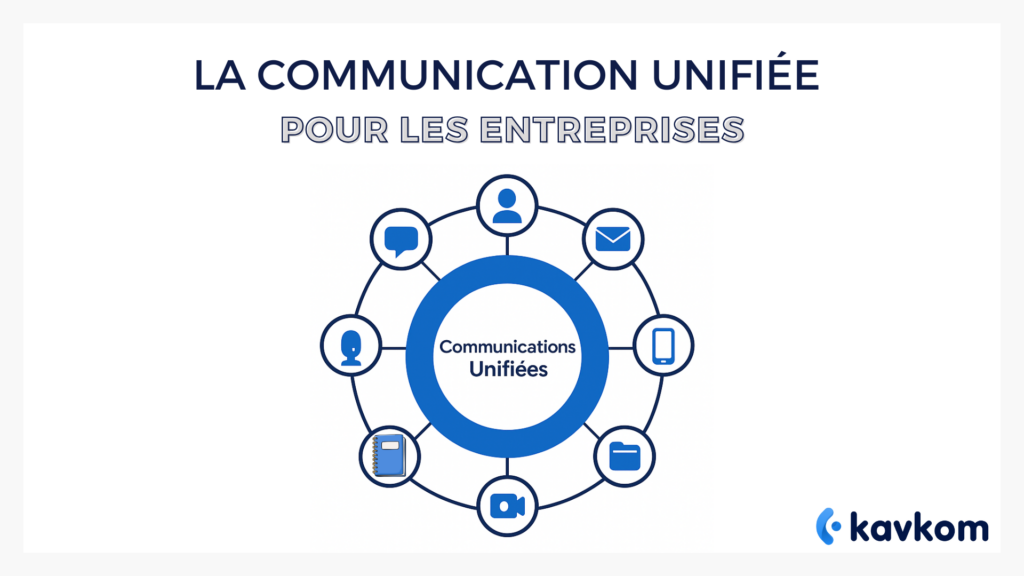
It was precisely to avoid such organizational turbulence that Unified Communications was born, an approach that brings together a company’s digital tools in a coherent environment. The aim is not to add one more piece of software, but to create a space where every exchange becomes easier to follow, transmit and exploit.
This guide takes you from A to Z. You’ll understand what unified communication is, how it supports productivity, what concrete benefits a company can derive from it, and how to deploy it without upsetting your teams.
Points to remember :
- Unified communication brings together messaging, calls, video conferencing and documents in a coherent environment that reduces information loss.
- Companies gain in fluidity by eliminating the need to go back and forth between dispersed tools, which improves team collaboration and responsiveness.
- Cloud telephony plays a structuring role in connecting customer and internal interactions, while making it easier to track exchanges.
- The benefits are measured in terms of both day-to-day productivity and consistency of customer service.
- ROI is seen in reduced software costs, less wasted time and better operational continuity in hybrid organizations.

Definition of unified communications
Unified communication brings together several business tools in a single ecosystem. Instant messaging, voice calls, video conferencing, document sharing and real-time collaboration can all work together, rather than in isolation.
The concept is not just about connecting services. It’s about organizing their interaction so that teams can reduce dispersed searches and centralize access to information.
Why has this concept become so central
Digital transformation has fragmented communication channels. Today, companies use a dozen different tools for simple tasks. Unified communications responds to this multiplication by creating continuity. It enables teams to switch from a message to a call, or from a note to a videoconference, without interrupting work in progress.
With the rise of hybrid working, this continuity becomes essential. Employees need a stable environment, whether they’re in the office, at home or on the move. Unified communication plays a key role here, as it enables the same level of access to information to be maintained everywhere. This stability reduces task dispersion and improves operational clarity.
In brief
Unified communication brings together messaging, videoconferencing, voice calls, file sharing and collaborative tools in a coherent interface to reduce dispersion and increase efficiency.
The essential components of unified communications
The solutions on the market look different, but their foundations rest on five pillars. Understanding them will help you identify what really matters to your business.
Instant messaging
Professional messaging lets teams exchange information quickly, create groups by department and share documents without waiting for a meeting or call. The channel becomes a continuous workspace.
In organizations where responsiveness is strategic, messaging is often the tool of choice. It supports coordination, speeds up problem-solving and makes discussions more fluid. By integrating it into a unified communications system, it naturally connects with other tools to become a true collaboration hub.
Voice calls
Telephone communications remain indispensable. A unified solution integrates incoming and outgoing calls so that every interaction can be synchronized with other tools.
By linking calls to internal messaging or documentation, the company avoids the creation of silos. Each call can be contextualized, transcribed or tracked more easily. This is a considerable advantage for customer relations, support and sales teams.
Videoconferencing
Virtual meetings should be integrated into the same environment as messaging and calls. This reduces friction and speeds up preparation for team discussions.
Successful videoconferencing is not just a question of audio or video quality. It’s also about instant access to necessary documents, shared note-taking and project history retrieval from the same workspace.
Real-time collaboration
This is what turns a tool into a platform. Shared notes, document co-editing, accessible history and a direct link between conversation and content.
Real-time collaboration enables teams to create together without the need for endless file exchanges. It also supports greater consistency, as all collaborators see the same version of a document.
Mobility and accessibility
Teams work from the office, at home or on the move. Unified communication offers a seamless experience, whether on a computer, mobile or tablet.
This mobility becomes essential in environments where teams need to intervene quickly. Being able to switch from one device to another without losing the thread is a decisive advantage for collective performance.
The pillars of unified communications
| Tool | Role | Key use |
|---|---|---|
| Messaging | Fast exchanges | Daily coordination |
| Voice calls | Direct contact | Customer relations and support |
| Videoconferencing | Meetings | Synchronous work |
| Sharing and co-publishing | Common documents | Project follow-up |
| Mobility | Continuity | Hybrid work |
Benefits for companies
The benefits of unified communications go far beyond the technical. They affect productivity, customer relations and the working experience.
Reduce time lost between tools
Switching from one software package to another multiplies micro interruptions. A unified solution eliminates redundancies. Teams know where to find each exchange, and no longer need to search for old attachments in multiple spaces.
This time saving often represents hours accumulated over a month. Employees can concentrate more effectively, as they are no longer distracted by having to switch back and forth between different interfaces.
Improving internal collaboration
Projects involve several teams and tools: unified communication makes their interactions visible and structured. A message triggers a videoconference, a call refers to a file, a note can become a task to be assigned.
This visibility also facilitates the work of managers, who can more easily monitor the progress of projects. Teams can identify sticking points more quickly and coordinate around concrete actions.
Better customer experience
When teams have a fluid environment, customers feel it immediately. Follow-up becomes more consistent. An advisor can pick up a conversation started by a colleague without having to start from scratch.
A unified communication also reduces response times. Customers receive information more quickly and feel better supported.
Cost reduction
Centralizing tools avoids multiple licenses and limits training. A homogeneous environment often costs less than a set of scattered tools with no common logic.
This reduction also has an impact on IT, as there are fewer platforms to maintain, fewer compatibility problems and fewer repetitive tasks for system administrators.
Measured benefits
- Reduced time spent searching for information.
- Fewer duplicate exchanges.
- Reduce superfluous licenses.
- Improved customer follow-up.
- Increased productivity in hybrid teams.
Unified communications and digital transformation
Unified communications is more than just a technological add-on. It accompanies the transformation of companies faced with mobility, teleworking and changing customer expectations.
A lever for hybrid working
Hybrid teams alternate between face-to-face and teleworking. Unified communication gives access to the same information and interactions regardless of the environment.
This continuity reassures employees. It enables them to work with greater regularity, especially when they regularly change workspace.
A foundation for internal processes
Communication structures internal interactions and facilitates process continuity. A meeting generates a document. A call creates a trace useful for follow-up.
By structuring these interactions in a single environment, companies create workflows that are more robust and easier to follow.
Better use of data
Business interactions generate a vast amount of information. Thanks to a unified platform, this data can be processed more easily, and used to make better decisions.
They can also be fed into internal reports, statistics and analyses to understand workloads and adjust resources.
Unified communications and cloud telephony
Cloud telephony is the easiest way to set up unified communications.
Kavkom exemplifies this approach by offering a 100 percent cloud platform, designed to simplify the work of sales teams and call centers. The idea is to gather interactions around a common base rather than multiplying tools.
The solution is based on a complete functional package: virtual numbers, VoIP calls, predictive dialer, real-time supervision and CRM integration. The aim is to create an environment where agents can move easily between exchanges, while retaining history and context.
Flexibility remains key. The service is non-binding, with pro rata billing to match variations in activity. No hardware requirements, no eSIM, and the option of using a physical IP phone at no extra cost for teams who prefer a dedicated workstation.
Last but not least, support is based on a responsive human touch. Users can get quick answers, concrete guidance and adjustments tailored to their day-to-day needs.
How to measure the ROI of unified communications
Decision-makers need to measure return on investment. Unified communication offers quantifiable gains, but also more subtle benefits linked to the work experience.
Direct savings
Fewer licenses. Fewer platforms. Centralized maintenance. Lower costs because tools are no longer dispersed.
Productivity
Teams save time by easily finding a message, document or history. Productivity gains are measured in terms of time saved, tasks completed more quickly and more fluid exchanges.
Reactivity
Unified communication boosts speed of response. Customers get what they need faster. Teams keep better track of requests.
Three simple indicators to track
| Indicator | What it measures | Impact |
|---|---|---|
| Average response time | Internal and external speed | Customer relations |
| Number of tools used | Fragmentation | Licensing costs |
| First contact resolution rate | Consistency of exchanges | Customer satisfaction |
Preparing your company for implementation
Unified communications must be adopted gradually if it is to succeed. Simply deploying a tool is not enough. You need to structure the change, support teams and adjust processes.
Auditing real needs
Identify existing uses. Which tools are indispensable. Which irritants come up frequently. Which teams need more synchronization.
A well-conducted audit can also help identify duplication in internal processes and better organize priorities.
Defining a framework
List objectives. Reduce coordination time. Improve customer relations. Encourage hybrid working. Each company chooses its priorities.
By establishing a structured framework from the outset, you can give consistency to the project and facilitate decision-making.
Involving teams
Unified communication facilitates exchanges, but it needs to be integrated into everyday life. Employees need to understand how to use it to get the most out of it.
Involvement also means listening. Feedback from teams helps us adjust the solution and improve adoption.
Gradual deployment
Start with a pilot team. Adjust parameters. Then expand. Gradual adoption secures the project.
This approach avoids resistance and limits operational risks.
Preparation checklist
- Map current tools.
- Identify priority uses.
- Define measurable objectives.
- Plan a pilot phase.
- Organize in-house support.
FAQs on unified communications
What is unified communication (uc)?
It’s a unique environment that brings together several professional channels to simplify exchanges, reduce information loss and structure interactions.
What tools are included?
Messaging, voice calls, videoconferencing, file sharing and collaboration. Each solution offers its own variations, but the fundamentals remain the same.
Who is it for?
Companies of all sizes who want to reduce internal friction, improve coordination or support a hybrid team.
Is it complicated to set up?
No, if implementation follows a progressive logic. An initial audit, a pilot team and support are all that’s needed to install new uses.
Conclusion
Unified communication is a new way of organizing exchanges within a company. It boosts performance, simplifies day-to-day work and strengthens team cohesion.
And to move from intention to concrete use, nothing beats trying out a platform capable of bringing together calls, data and collaboration in the same space.