Your CRM is connected to your email marketing tool. Your prospecting sequences feed into the pipeline. But your sales calls are still managed in a separate tool.
This is the weak link in most B2B sales stacks in 2026. Phone conversations remain a crucial channel for quickly qualifying a prospect, especially when they’re linked to the CRM and reporting. Yet they disappear into a silo—with no traceability, no actionable data, and no connection to the rest of the system.
Telephony remains a useful operational layer when it feeds into CRM, reporting, and sales coaching. When properly integrated into your sales tools stack, it becomes an operational layer that feeds your CRM, structures your reporting, and makes sales coaching more practical.
Here’s how to build this architecture, which KPIs to track, and how to choose a VoIP solution tailored to your team without getting caught up in optional features that come at an extra cost.
What Is a Sales Stack in 2026, and Why Include Telephony?
You have a CRM, a lead generation tool, an email marketing solution, and perhaps a reporting dashboard. And yet, your sales reps are still making calls using a tool that’s disconnected from the rest of your system.
This is the number one problem facing B2B sales teams in 2026.
A sales stack isn’t just a collection of software tools stacked next to one another. It’s a connected infrastructure where each tool feeds data to the others. The CRM centralizes customer history. The lead generation tool pushes qualified leads. Reporting aggregates KPIs. And what about phone systems? They should do exactly the same thing.
Except that, in practice, voice communication often remains the isolated link in the system. Outbound calls aren’t logged in the CRM. Call durations, answer rates, and sales follow-ups—all of this exists in a separate silo. As a result, your managers are flying blind when it comes to the channel that actually generates the most direct conversations with prospects.
Telephony isn’t meant to replace LinkedIn or email—it complements these channels by providing direct lead qualification. It’s an execution layer that, when properly integrated, also serves as a data collection layer. Every call generates actionable information: contact qualification, tested call scripts, and recorded conversations for sales coaching.
The real paradigm shift for sales tools in 2026 is treating the sales call stack as a standalone component of the sales architecture. It’s connected to the CRM via native CRM integrations, synchronized with reporting, and directly feeds into lead qualification workflows.
In practical terms, a sales rep who hangs up after an 8-minute call shouldn’t have to enter anything manually. The call, its duration, and the recording can be linked to the contact record; the notes just need to be organized according to your CRM workflow. That’s what a 2026 sales toolset that actually works looks like.
And that’s where choosing the right business VoIP solution makes all the difference. A VoIP system designed for sales teams does more than just carry voice calls. It enables traceability, helps manage sales productivity, and ensures alignment between lead generation and CRM.
Calls vs. Email and LinkedIn: Why Voice Remains Essential in B2B
You’ve probably read everywhere that email and LinkedIn are going to replace the phone in B2B prospecting. That decision-makers no longer pick up the phone. That the cold call is dead.
Except that the numbers tell a different story.
According to a comparative analysis of outbound channels, the conversion rate for a sales call ranges from 2% to 2.5%, compared to 0.3% to 0.8% for a cold email. LinkedIn has higher response rates (around 20 to 40% when best practices are followed), but “responding” does not mean “qualifying.” A LinkedIn message exchange can take days before leading to a real conversation. A 4-minute call is enough to determine whether the prospect has a need, a budget, and a timeline.
That’s the structural advantage of the voice: quick qualification.
Your digital sales prospecting tools generate volume. Email reaches a wide audience. LinkedIn opens doors. But it’s the phone call that turns a cold lead into a qualified opportunity—in just a few minutes, rather than several days of written follow-ups.
So, what will the legal framework look like in 2026? You may have heard about the stricter regulations on telemarketing. To be specific: Starting August 11, 2026, unsolicited telemarketing to consumers will require prior consent, with exceptions such as an existing contract. In the B2B sector, the CNIL maintains a more flexible framework: no mandatory prior consent, an opt-out principle, and the requirement that your message be directly related to the prospect’s professional activity.
In practical terms, your sales representatives can continue to call B2B decision-makers in 2026. All they need to do is follow three rules: inform the prospect at the time of data collection, offer a simple opt-out option, and target prospects based on their job title.
The risk isn’t just regulatory—it’s also operational if your calls remain disconnected from the CRM. This means leaving your outbound calls in a standalone tool that doesn’t report anything back to the CRM, doesn’t track answer rates or average call duration, and prevents any sales coaching based on real data.
The evolution of the sales technology stack in 2026 isn’t about choosing between email, LinkedIn, and the phone. It’s about orchestrating all three channels together, with a voice layer that feeds into the same database as your other B2B sales tools. And for that, you need a VoIP phone system designed for sales prospecting—one capable of tracking every call, recording conversations, and syncing everything with your existing CRM.
👉 Explore the Kavkom guide to VoIP solutions for businesses with an expert.
How to Integrate Your Sales Stack’s Phone System with Your CRM
You’ve connected your email marketing tool to your CRM. Your LinkedIn sequences are feeding into the pipeline. But what about your calls? They’re still operating in a parallel universe.
This is the pain point that most B2B sales teams underestimate. And it’s also the one that costs the most in terms of lost data.
Integrating your sales stack’s calling features into your CRM isn’t just about “plugging” two tools together. It means building a system where every call feeds into three functions: customer data, sales activation, and qualitative analysis. These three pillars form the backbone of a VoIP CRM calling system that works for the field, not just for reporting.
Here’s how it breaks down in practice.
Automatic data synchronization and archiving
You know the scenario. A sales rep hangs up after a 6-minute call with a hot prospect. Now they have to open the CRM, find the lead’s record, enter the call duration, summarize the conversation, and update the status. That takes 3 minutes. Multiply that by 40 calls a day: you’ve just lost two hours of productive time.
And that’s still the optimistic scenario. In reality, one out of every two sales reps forgets to log their calls. The data is incomplete, the manager sees only part of the activity, and the pipeline becomes unclear.
Automatic CRM synchronization eliminates this problem at its root. With Kavkom, every incoming call triggers the contact record to appear directly on the agent’s screen. There’s no need to search for the name in the CRM. The record appears with the full history: previous calls, notes, and deal status.
At the end of the call, the automatic logging system records the duration and status (answered, voicemail, busy), and the audio recording is attached to the record. This reduces the need for manual data entry and prevents logging omissions.
What’s changing for your managers: complete traceability of phone activity, which can be used for both reporting and coaching. And for your sales reps: time saved on each call, which can be reinvested in the next conversation.

Try Kavkom’s CRM synchronization—the 100% cloud-based business phone system—with no obligation.
Schedule a demo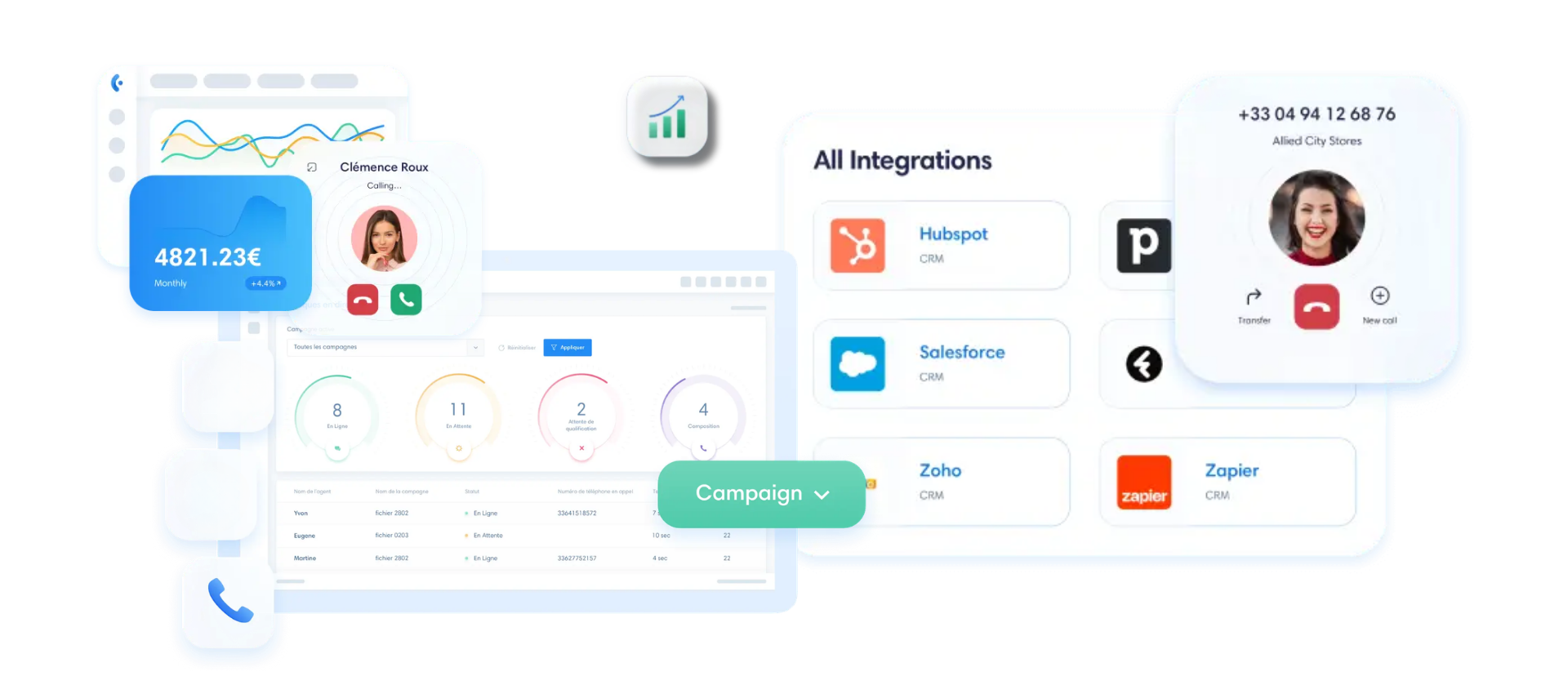
Sales Activation with Click-to-Call and the Dialer
Data synchronization is the foundation. But CRM-telephony integration doesn’t stop there. It must also speed up execution.
Take a sales rep who’s prospecting from their CRM. They have a list of 80 contacts to call back today. Without integration, they copy each number, paste it into their calling tool, wait for the ringtone, note the result, and move on to the next one. It’s slow. It’s tedious. And it kills the momentum.
Kavkom’s click-to-call feature eliminates the need to dial manually. Your sales rep sees a number in the CRM, in an email, or on a web page: they click, and the call goes through. That’s it. The time saved per call may seem minimal. But with 80 calls a day, you’ll save between 30 and 45 minutes of productive time.
And what about teams that do intensive prospecting?
A predictive dialer becomes useful as soon as the team is handling a high volume of calls. Instead of dialing one number at a time, the system dials multiple numbers simultaneously and connects the agent only when a prospect picks up. Answering machines, disconnected numbers, and unanswered rings—all of these are automatically filtered out. Your sales reps spend their time talking, not waiting.
In practical terms, automated dialing using a native predictive dialer can triple the number of successful calls per agent. And since every call is tracked in the CRM, your sales follow-ups are managed from the same place as the rest of the pipeline.
I recommend it without hesitation
With Kavkom, I was able to easily resolve the issue of communication costs with my regular customers. My agents were also no longer limited in their mobility, since communications are handled even when they’re on the go.

What will your rating be?
Request a demo nowCoaching Through Recording and Dual Listening
You have the data. You have the implementation. The third pillar is missing: a qualitative analysis of what’s actually happening during conversations.
Let’s say you’re the manager of a team of eight salespeople. You see in the dashboard that Julien’s conversion rate is half that of Sarah’s. The numbers tell you there’s a problem. But they don’t tell you what it is.
Recording conversations can be helpful for coaching, provided that the people involved are informed, a clear purpose is established, and the duration of storage is limited. You listen back to three calls from Julien and identify the sticking point: he asks the qualification question too late, after a 4-minute presentation. Sarah, on the other hand, qualifies within the first 30 seconds. You now have your sales coaching focus for the next session.
But the most powerful tool is real-time supervision.
Kavkom natively supports dual listening and whisper mode. In practice, you can listen in on a live call from the supervision console, within a defined framework that complies with your internal policies. And if your sales rep gets stuck on an objection, you can whisper the answer in their ear (the prospect can’t hear a thing). This is real-world training, not something that happens in a conference room.
What makes this approach possible in a 2026 sales tech stack is that everything is integrated. Recording, live monitoring, and whisper mode: these features are included natively in Kavkom, with no additional modules to pay for. With other providers, advanced monitoring is often reserved for premium plans.
The result: Your call scripts improve based on real data, not just intuition. And your salespeople develop their skills more quickly because the feedback is grounded in actual conversations.
👉 Compare cloud solutions for your contact center with a Kavkom expert…
KPIs for Measuring the Performance of Your Sales Call Center
Your sales reps make 60 calls a day. Your manager tells you that “things are going well.” But when you ask how many opportunities the voice channel has generated this month, no one knows the answer.
This is a classic sign of a sales call center driven by raw volume, without any quality metrics.
Here are the four KPIs that will transform your sales activity reporting into a true decision-making tool.
| KPI | Indicative B2B Benchmark | What It Tells You | Areas for improvement |
|---|---|---|---|
| Call drop rate | 15–25% (validated data) | Quality of your database and relevance of call slots | Verified data, optimized time slots, local numbers |
| Call-to-Appointment Conversion Rate | 3 to 4 appointments per 100 calls | Effectiveness of the script and qualification process | Coaching on the first 30 seconds |
| Average duration of productive conversation | Variable (43 seconds observed as the overall average) | Depth of conversation vs. “empty” calls | Automatic Filtering of Voicemail Messages |
| Opportunities Generated by the Voice Channel | To be defined internally | Actual contribution of phone calls to the pipeline | CRM synchronization + attribution by channel |
The call-drop rate is your first filter. Based on general statistics, it often falls between 8 and 12%. With verified mobile data and direct numbers for decision-makers, you can increase that to 25–30%. The difference isn’t due to your sales reps—it comes down to the quality of the data and the number displayed. Displaying a local number in the prospect’s country automatically increases the answer rate.
Kavkom allows you to assign geographic numbers in more than 50 countries. Your sales representative calls from Paris, but the prospect sees a local number for their city. This detail makes all the difference in the answer rate.
The call-to-appointment conversion rate measures what happens after the call is answered. According to Citizen Call, a realistic benchmark in B2B is around 3 to 4 appointments per 100 calls. If you’re below that, the problem is rarely volume. It’s the quality of the first few seconds of the conversation.
And that’s where call recording really comes into its own for coaching. You can pinpoint exactly where the conversation goes off track, which argument doesn’t resonate, and which sales rep qualifies leads too late.
The average call duration is a more nuanced metric. An average of 43 seconds per call (based on a sample of 20,000 calls) includes voicemail, immediate hang-ups, and invalid numbers. This raw figure doesn’t tell you much. What matters is the duration of calls where an actual conversation took place. With a predictive dialer that automatically filters out answering machines, your statistics finally reflect the reality on the ground.
The final KPI—and the most strategic one—is the number of opportunities generated by the voice channel. There’s no universal benchmark for this metric because it depends on your sales cycle. But it’s the only one that measures the actual contribution of your sales phone system to revenue. To calculate it, one thing is essential: every call must be tracked and assigned in the CRM. Without a business phone line connected to your pipeline, this data simply doesn’t exist.
Boost your sales teams’ productivity with Kavkom, the 100% cloud-based business phone system.
Schedule a demo
How to Choose a VoIP Phone System with No Hidden Fees
You understand that telephony is a strategic component of your sales stack. You know which KPIs to track. You see how to integrate calls with your CRM and coaching.
But there’s still one question that stumps everyone: Which tool should you choose without getting caught in a trap?
Because the VoIP phone market for sales teams is rife with pricing plans that seem attractive at first glance but skyrocket as soon as you enable the features you actually need. Here’s how to avoid that.
Identify needs based on your team’s profile
Not all B2B sales tools are created equal—it depends on your specific use case. A small business with 12 employees making 30 calls a day doesn’t have the same requirements as a call center with 40 agents engaged in intensive prospecting.
Start by asking yourself two simple questions.
First question: What is your daily call volume per sales rep? If your teams make fewer than 50 calls a day, you need a reliable SMB phone system with click-to-call, CRM synchronization, and call recording. Ease of use takes precedence over raw power.
Second question: Do your sales reps spend their days on the phone? If the answer is yes (more than 100 calls a day, cold calling, mass qualification), you fit the call center profile. And in that case, a predictive dialer is no longer a luxury. It’s the tool that makes the difference between 30 productive conversations and 90 in the same day.
| Criterion | SME/Small Manufacturing Company Profile | Call Center / SDR Profile |
|---|---|---|
| Daily Call Volume | 10 to 50 per sales representative | 100 to 300+ per agent |
| Critical Feature | Click-to-call, CRM integration | Predictive dialer, real-time monitoring |
| Coaching needs | Recording for playback | Real-time dual listening + whisper |
| Typical monthly budget | €30/user | €50/user |
This table isn’t just theoretical. It’s the checklist you should use to evaluate every solution before signing anything. Because if you pay for a predictive dialer you don’t need, you’re wasting your budget. And if you do need it but it’s billed as an optional feature, you’re paying twice.
Avoiding the Pitfalls of Paid Options and Long-Term Commitments
You’ve identified your profile. Now, look at the total cost of ownership for the solution—not just the price listed on the pricing page.
Here’s something many providers don’t highlight:
- Is call recording included in the basic plan, or is there an additional charge of €5 to €15 per month per user?
- Are advanced statistics (pick-up rate per agent, duration per campaign) available, or are they reserved for the “Enterprise” plan?
- Is native CRM integration (Salesforce, HubSpot, Pipedrive) included, or is it a paid connector?
- Is it possible to use a physical IP phone at no extra cost, or is it an option that incurs an additional charge?
Add up these “little extras” for 15 users over 12 months. You’ll see that the $25/month provider often ends up being more expensive than the $30 one that includes everything.
And then there’s the issue of contract flexibility. Some providers require a 12- or 24-month commitment. That means that if the solution doesn’t work out after two months, you’ll still have to keep paying. Or if your business is seasonal (fewer calls in the summer, a peak in September), you’ll pay the full rate in August for lines that aren’t ringing.
Pro-rated billing and no-contract plans aren’t just marketing gimmicks. They’re what let you cancel your service in August and pay only for what you actually use. Let’s say you have 10 lines at €30 each: saving a full month means you get €300 back. Over three years, that adds up.
Kavkom: VoIP Telephony Designed for Sales Performance
Are you looking for a solution that meets these criteria without overwhelming you with paid options?
Kavkom meets this need with a 100% cloud-based VoIP solution designed for sales teams and call centers.
Kavkom is a 100% cloud-based VoIP solution designed for sales teams and call centers. The concept is simple: all features are included out of the box, at no extra cost. Predictive dialing, call recording, native CRM integrations (Salesforce, HubSpot, Pipedrive, Zoho, Zendesk), dashboards, dual listening, and whispering—everything is available from day one.
No long-term commitment. Pro-rated billing. Instant cancellation. Activate 10 lines on Monday morning, and your sales reps are up and running by the afternoon—no hardware to install.
And here’s a feature that few competitors offer: Kavkom works on webphones, softphones, mobile apps, and physical IP phones—all at no additional cost. If one of your sales reps prefers a physical handset on their desk rather than a headset plugged into their computer, they can set up their Kavkom landline number on a compatible IP phone. With other providers, this option is billed as an extra charge.
When it comes to the future of sales telephony, Kavkom integrates as the voice component of your sales telephony stack: every call is logged in the CRM, every recording informs coaching, and every KPI is accessible in real time. Support is provided by real people (no chatbots) and can be reached by phone, email, or WhatsApp, with remote assistance via AnyDesk if needed.
Boost your sales teams’ productivity with Kavkom, the 100% cloud-based business phone system.
Schedule a personalized demo
For an SME at €30/month or a call center at €50/month, the listed price is the price you pay. No hidden fees, no setup fees, and no minimum number of lines.
Are you building your 2026 sales tech stack? Your phone system shouldn’t be the weak link in your setup. It should feed into your CRM records, your metrics, and your coaching efforts.
The Essentials for Your 2026 Sales Stack
- VoIP telephony is the enabling layer that connects your CRM, your reporting, and your sales coaching.
- An effective voice module eliminates the need for manual data entry by automatically logging every conversation in your contact records.
- Managing productivity requires complete contractual flexibility and built-in monitoring tools.
A high-performing sales stack is one that takes a back seat to your sales team’s efforts. It transforms every conversation into actionable data for your reporting and into a concrete tool for helping your teams improve day by day.
Au fond, posez-vous la question : combien de données cruciales se perdent chaque semaine parce que vos appels ne sont pas encore connectés à votre CRM ?