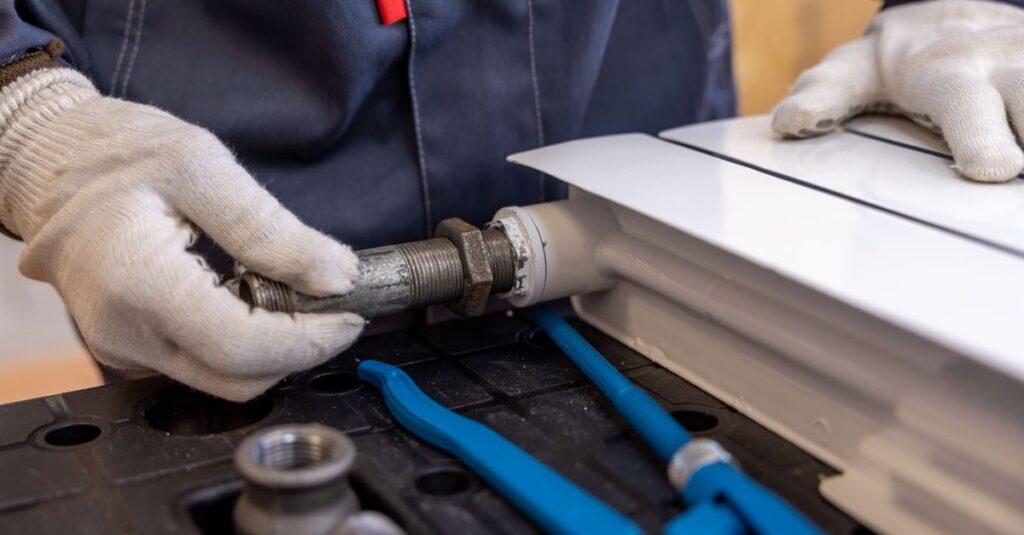
You have both hands in a drain. The phone rings. You can’t answer it.
And that’s where it gets expensive. A customer who doesn’t get an answer will call the next plumber—period. Meanwhile, you might be searching for the most durable phone on the market, when the real problem isn’t the phone itself.
The problem is managing your calls. A true phone system for tradespeople relies on a cloud-based switchboard that routes, answers, and transfers calls for you, with a dedicated business number and an IVR.
You’ll learn how to set up this system without any hardware in just a few minutes, and which options to choose for your business number, call routing, and automation. We’ll also look at the actual cost—with no long-term commitment and prorated billing to match your busy construction season.
Why the Best Construction Site Phone Won’t Solve Your Missed Call Problems
Are you looking for the toughest phone on the market to withstand the rigors of your job sites? That’s a good idea.
But the thing is, that doesn’t solve your real problem.
A rugged phone is resistant to dust, water, and drops. Perfect. Except that it still rings into the void when you have both hands in a pipe or are at the top of a ladder. The hardware protects the device. It doesn’t answer the call for you.
And that’s where it really hurts. A tradesperson who misses some of their calls during the day is letting potential jobs slip away every month, often without even realizing it. The worst part is the timing: by the time you call back in the evening, a good number of customers have already contacted the competitor next door. The customer isn’t waiting for you. They’ll go with the first contractor they can reach.
That’s why a true phone system for small business owners is first and foremost about call management—much more so than the device itself. The difference is simple: the phone is the device. The cloud-based phone system is the system that routes, forwards, and answers calls for you.
With a dedicated business number for tradespeople, you can finally separate your personal and professional lives. An incoming call can be forwarded to a colleague, routed to a professional voicemail message outside of business hours, or guided through a voice menu. Your reachability no longer depends on your availability at any given moment.
In the following sections, we’ll show you how to set up this cloud-based phone system—without any hardware and in just a few minutes.
Cloud PBX vs. Virtual Receptionist: How to Structure Your Company’s Phone Reception
Are you torn between setting up your own phone system and paying someone to answer calls for you? Good question.
Let’s put it simply: these are two opposing approaches. A cloud-based phone system for tradespeople manages your internal calls. A virtual reception service, on the other hand, outsources the task of providing a human response to an external service provider.
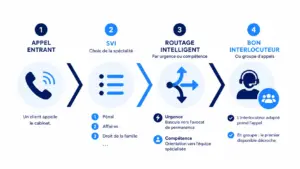
Let’s start with the cloud-based system. With Kavkom, you stay in control of everything. A customizable interactive voice response system greets callers and qualifies their requests. A customer presses 1 for a plumbing emergency, 2 for a quote, or 3 to check on an ongoing project. And call routing sends each request to the right place, based on your schedule.
After 6 p.m., calls are automatically routed to a personalized message. You set the rules—not a service provider.
Now, the virtual reception service. A remote team answers the phone, takes your messages, and sometimes manages your schedule. This is convenient if you want to delegate everything without having to configure anything. But you lose control over how calls are handled, and the bill can quickly add up. Depending on the volume, costs can range from a few hundred to over a thousand euros per month.
Here’s the real difference: the cloud is for organizing your call handling. A virtual receptionist service is for handling it for you.
And let’s be clear about one thing. A custom-built phone system solution like Kavkom is not an outsourced call center. It’s an in-house tool. You—or your team—manage your own calls using tools that filter them in advance.
For a business with seasonal peaks, this is what makes all the difference. You can adjust your workflow trees with just a few clicks when winter fills up your schedule, without having to renegotiate a staffing contract. You stay in control, with no hardware to install.
👉 Learn how to optimize call management with Kavkom.
The 3 Pillars of a Good Phone System for Construction Companies
Want to set up your phone system without getting lost in the jargon? Good news: it all comes down to three simple building blocks.
A dedicated number, a cloud-based switchboard, and automation. Each addresses a specific need in the day-to-day work of a plumber or electrician. Let’s look at them one by one.
A Dedicated Virtual Number to Separate Work and Personal Life
You give a client your personal number in an emergency, and three months later they call you on a Sunday evening. Sound familiar?
A virtual number solves this. It’s a business landline number, hosted in the cloud and accessible via the Internet. No SIM card, no physical line to install. You keep your personal cell phone to yourself.
With Kavkom, you can also port an existing number. Number portability for your business number lets you keep the one your clients already know, without having to reprint anything on your quotes or your van.
And when it comes to how you use it, the choice is yours. This business number for tradespeople rings on your smartphone via the app, on a webphone from your office computer, or on a physical IP phone if you prefer a traditional handset. This last point is important: the physical IP phone is included at no extra cost with Kavkom, whereas other providers charge for it as an optional extra.
The result for tradespeople’s mobile phone service: a single business number follows you everywhere, and your personal life remains undisturbed in the evenings.
The cloud-based switchboard with IVR and call routing to prioritize emergencies
Not all calls are created equal. A leak flooding a kitchen won’t wait, unlike a request for a quote for a renovation next year.
That’s exactly what the IVR (Interactive Voice Response) system is for. You set up a voice menu like this: press 1 for an emergency, press 2 for a quote. The caller self-qualifies, and you know immediately what to expect before you even pick up the phone.
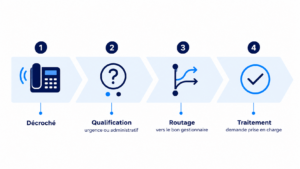
Next, call routing takes over. An emergency call is routed first to the available technician, not to voicemail. If no one on the team answers, you set up an overflow scenario: the call is transferred to a colleague, then to a professional, well-produced voicemail message.
For managing plumber calls, this upfront sorting changes day-to-day operations. You handle urgent calls quickly, and the rest take care of themselves. And everything is configured from a single interface—no hardware to plug in.

Set up your cloud-based PBX with no commitment using Kavkom, the 100% cloud-based business phone system.
Schedule a demo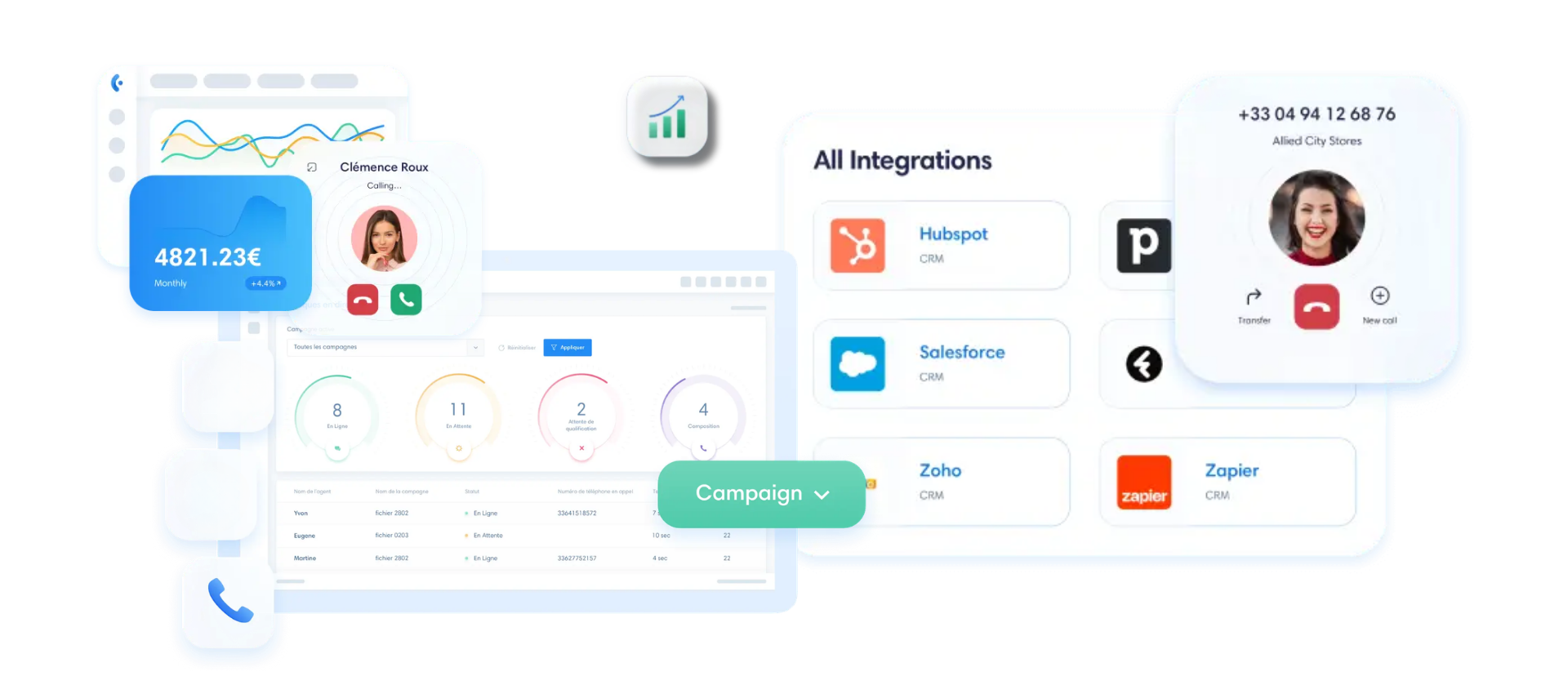
Automation and Voice Assistants: Help with Very Real Limitations
Voice assistants are all the rage. And they offer real value, especially when it comes to automatically categorizing requests.
A voice assistant can record the name, address, and nature of the issue while you’re on-site. This is handy for filtering through a high volume of calls and avoiding manual data entry.
But let’s be honest about its limitations. When faced with a complex emergency repair, this type of tool quickly reaches its limits. A panicked customer who can’t describe the leak clearly, or a technical issue that requires asking three specific questions—in those situations, nothing can replace a human who understands the trade.
Automation works best as a complement rather than a replacement. A professional cloud-based phone system like Kavkom handles routing, scheduling, and call overflow, while automated tools handle simple requests.
In my experience, it’s this balance that stands the test of time. The most reliable phone system for tradespeople combines a true VoIP switchboard with just the right amount of automation. No tool can fully replace your on-site expertise in every single case.
Plumbers and Electricians: Call Scenarios and Real-World Use Cases in the Field
Enough theory. Let’s see what it really looks like when the phone rings and your hands are full.
Two trades, two work rhythms. Plumbers rush to handle emergencies; electricians plan their jobs. The cloud-based phone system adapts to both.
Let’s start with the plumber. Tuesday, 11 a.m., you’re under a sink. A customer calls, panicking: his boiler is leaking and water is flooding into the living room. With a properly configured IVR system, he presses 1 for an emergency. The call doesn’t go to voicemail. It rings first on the cell phone of your available colleague, or on your app if you can answer for thirty seconds between tasks.
What if no one answers? The call routing system triggers an overflow scenario to a second number, then to a professional voicemail system that puts the caller at ease. When it comes to managing calls for plumbers, it’s this filter that makes the difference between an urgent repair job being secured and a customer going to a competitor.
Electricians, on the other hand, operate differently. Their calls mainly involve renovation estimates, scheduling for new construction projects, and follow-ups on installations. Rarely is there a last-minute emergency.
As a result, the phone system for electricians focuses primarily on expertise. The voice menu sorts calls: press 2 for a quote, 3 to check on a job in progress. Each call is routed to the right place, and you can call back when you get off the ladder—there’s no rush.
When it comes to greeting messages, keep it simple. During business hours, use a short, informative message: “Hello, you’ve reached Dupont Électricité. For a quote, press 1.” In the evening after 6 p.m., the greeting switches automatically.
Here’s an example of a message for after-hours that works well:
“Our offices are closed. For an electrical emergency, please leave your contact information after the beep; we will call you back as soon as we open at 8 a.m.”
Customers feel well taken care of, even at 9 p.m. And you can truly wrap up your day without missing any important information.
These call scenarios can be set up in just a few clicks in Kavkom, with no hardware required. You can adjust your menu structures as the season changes—whether it’s the busy winter season or the slow summer months. Your phone system for tradespeople adapts to your business, not the other way around.
I recommend it without hesitation
With Kavkom, I was able to easily resolve the issue of communication costs with my regular customers. My agents were also no longer limited in their mobility, since communications are handled even when they’re on the go.

What will your rating be?
Request a demo nowHow much does a business phone system for a tradesperson cost?
Are you worried about your bill skyrocketing with hidden fees? That’s the number one fear when setting up a phone system.
Good news: a cloud-based phone system is still affordable—as long as you carefully review what you’re paying for.
First, distinguish between two types of use. If you just want to receive calls, the entry-level plan starts at €8 per month billed annually, and it covers incoming calls only. Perfect for a tradesperson who, above all, doesn’t want to miss any requests for quotes.
But if you also call your customers and suppliers, you’ll need outbound calling. The Standard plan at €30 per month with no commitment includes unlimited incoming and outgoing calls to cell phones and landlines in France. And here, unlimited really means unlimited: no disguised fair use policies, no hidden caps that cut you off at the end of the month.
For teams that make calls all day long—up to 500 minutes per day per user—the Call Center plan costs €50 per month.
| Offer | Price | What’s Covered |
|---|---|---|
| Entry-level | €8/month (annual) | Incoming calls only |
| SME/Small Business Plan | €30/month, no contract required | Unlimited incoming and outgoing calls (France) |
| Call Center | €50/month, no commitment | Heavy usage: up to 500 minutes per day |
Now, here’s the real advantage for a seasonal business: prorated billing. You can suspend your service in August when work is at a standstill, and you only pay for what you use. Compared to a plan that offers a 25% discount in the summer, you’re in control of every euro.
And for small business phone service, this makes all the difference: no installation fees, no cancellation fees, no minimum number of lines. The price you see is the price you pay.
👉 Try a free demo with Kavkom and check out the pricing with no obligation.
Step by Step: How to Deploy Your Cloud Phone System in Just a Few Minutes
You probably think that setting up a phone system means a technician, cables, and a three-day wait, right? Not here.
A cloud-based phone system for the construction trade can be set up in just a few minutes, right from your browser. Here are the four steps, in order, with absolutely no technical expertise required.
Step 1: Choose a virtual number or request number porting
It all starts with the number. First question: Will you create a new one, or keep your old one?
If you’re just starting out, choose a local or national virtual number in just a few clicks. A 04 number from Lyon, a 02 number from Nantes, or a national number depending on your service area. When customers see a local area code, they’re more likely to answer the call.
If you’re already driving around with a business number for a tradesman printed on your van, keep it. Number portability is free and lets you keep the number your customers know by heart. No need to reprint anything.
In either case, immediate activation takes care of the rest. Your line is up and running in the cloud before you’ve even finished your coffee.
Step 2: Set up the IVR and routing rules
With your number in hand, it’s time to set up the greeting. This is where you decide where calls will be routed.
Start with the IVR. Set up a simple voice menu: press 1 for an emergency, press 2 for a quote. Callers self-qualify, saving you a ton of time before you even pick up the phone.
Next, call routing. You create call groups to have multiple phones ring at the same time—your mobile app, your office computer, a colleague’s cell phone. The first person to pick up takes the call.
What if no one answers? You can set up call forwarding to your cell phone when you’re unavailable. The call never goes unanswered. Everything is set up through a single interface—no 200-page manual required.
Step 3: Set up scheduling scenarios and out-of-office messages
You’re not going to answer at 10 p.m. after a day on the job site. And that’s perfectly normal.
First, set your business hours. Let’s say 8 a.m.–6 p.m., Monday through Friday. During these hours, calls follow your usual routing. Outside these hours, the system automatically switches to out-of-office mode.
Next, record a professional greeting message for when the office is closed. Keep it clear and simple, something like: “Our offices are closed. Please leave your contact information, and we’ll call you back starting at 8 a.m.” This makes the customer feel taken care of, and you can truly disconnect.
You can also forward the call to a business voicemail or to an on-call number if you handle nighttime emergencies. The choice is yours. You’re the one who sets that balance between being reachable and having a personal life.
Step 4: Test Call Quality and Launch the System
Before going live, one last step: test it. Five minutes, no more.
Make a few calls to check the HD audio quality. The voice should be clear, with no echo or delay. Test it under real-world conditions: on your office Wi-Fi, but also on 4G at a construction site, where the signal can be unstable.
Keep an eye on two things in the field: latency (the delay before the voice comes through) and jitter (micro-interruptions caused by an unstable network). If you experience static on 4G at a construction site with poor coverage, switch to the available Wi-Fi.
Once the test has been approved, you can get started. No physical equipment is required, and there’s no need to wait for a technician. This rapid deployment is the whole point of a 100% cloud-based phone system for tradespeople: up and running in the morning, fully operational by the afternoon.
👉 Schedule a free, no-obligation Kavkom test.
Security, Compliance, and GDPR: Essential Safeguards for Your Small Business Phone System
You handle customer contact information, job site addresses, and sometimes payment details over the phone. This data is worth its weight in gold, and the law holds you responsible for protecting it.
Good news: a reliable cloud-based phone system handles this for you. But you still need to know what to look for.
Let’s start with call encryption. Two technical components are key. TLS secures the signaling (the call connection), and SRTP encrypts the voice itself. Together, they prevent your conversations from being intercepted in plain text over the Internet. At Kavkom, calls are encrypted and the cloud infrastructure is secure—without you having to configure anything on your end.
Next comes the legal aspect. The GDPR applies as soon as you record a call or store a customer directory.
Three simple steps to stay compliant:
- Let the person you’re speaking with know when the call is being recorded; this is a requirement.
- Establish a clear retention period for your recordings and metadata.
- Verify that the data is hosted in Europe.
On this last point, let’s be honest: localization alone isn’t always enough. Also ask your provider about its data retention policy and terms of access to data.
With Kavkom, GDPR compliance is built in: full traceability, consent management, and the ability to export or delete data upon request. Does a customer ask for their information? You can retrieve it in just a few clicks.
And when it comes to access control, each role has its own permissions. A technician makes calls, a manager listens in and supervises, and the admin manages everything. Security is never just about encryption alone.
Boost the productivity of your small business with Kavkom, the 100% cloud-based business phone system.
Schedule a demo
Key Takeaways for Your Phone System
- The cloud-based VoIP system gives you complete control over your calls, without the need to install bulky equipment.
- A dedicated business number and customizable scheduling options finally separate your personal life from your quote requests.
- Call routing and the IVR filter your requests so that emergency repair calls are handled first.
- Pro-rated billing and no long-term commitment naturally adapt to the seasonal nature of your trade.
You now have everything you need to organize your phone reception. The goal goes beyond simply providing better service: it’s about turning every incoming call into a real opportunity, while keeping you stress-free even when you’re away from the office.
If you’d like to take your call structuring to the next level, our comprehensive guide to outbound sales can help you strengthen your outbound efforts. To get started today, you can schedule a free demo or begin your no-obligation trial to set up your phone system in just a few minutes.