
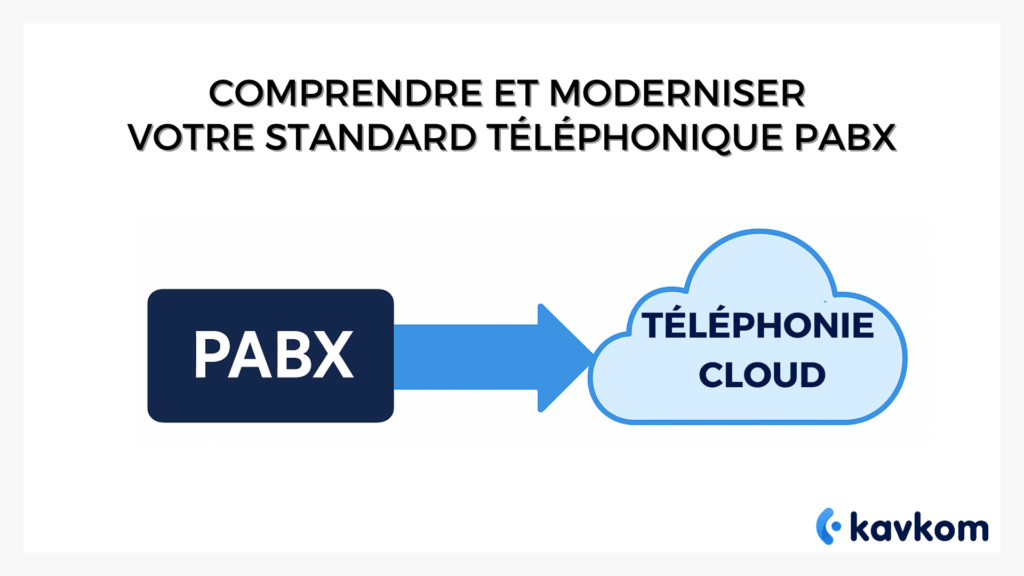
This system has long proved its worth: robust, reliable and structuring. But with the rise of teleworking, mobility and software integration, it’ s showing its limitations. Alternatives such asIPBX or hosted VoIP now offer far more flexible prospects.
This guide takes stock. You’ll discover the precise definition of a PABX, understand how it works, compare its strengths and weaknesses with modern solutions, and draw up a roadmap for the serene evolution of your telephony.
Points to remember
- The PABX is the automatic exchange that connects your telephones to the network and organizes internal and external calls.
- The term PABX comes from the automation that replaced manual switchboards(PBX) in the 1970s.
- These systems are reliable but limited: costly expansion, dependence on PSTN, difficult integration with digital tools.
- Alternatives such as IPBX and hosted VoIP offer greater flexibility, mobility and scalability.

What is a PABX switchboard? Definition and role
A PABX(Private Automatic Branch Exchange) is a device installed in a company to manage telephony. It can be compared to an “internal telephone exchange”. It links your desktops together and connects them to the publictelephone network for incoming and outgoing calls.
Simply put, the PABX acts as a digital switchboard. When a caller contacts your company, the call goes through it first. It decides whether the call should be transferred to an extension, put on hold or transferred to voicemail.
PABX vs PBX: origin of the term
Originally, company standards were entirely manual. They were known as PBXs(Private Branch Exchanges). In practice, an operator plugged cables into a panel to connect two people.
In the 1970s, technologies became automated. Connections were made automatically, without human intervention. The term then became PABX, the “A” simply standing for Automatic.
This change turned everything upside down. Companies gained in speed, reliability and, above all, availability: calls could be handled at any time, without having to rely on a switchboard operator.
What is a switchboard used for? Call routing and management
The role of a PABX is to organize communications. It receives external calls , redirects them to the right person and facilitates internal conversations between the various extensions.
It also applies practical rules: manage opening hours, place callers in a queue, transfer a call in progress, or activate voicemail. The aim is twofold: to make the caller’s experience more fluid, and to give the company complete control over its telephony.
How does a PABX work? Basic components and schematics
A PABX is like a marshalling yard for calls. Calls enter through the telephone network, are routed by the system, then leave again to the right internal telephones. Everything takes place inside this “black box”, made up of cards, modules and sometimes gateways to IP.
Telephone extensions, trunks, number of lines and number of extensions
A telephone extension is the handset used by an employee. A line is a channel used to make or receive a call. The number of lines determines how many conversations can take place simultaneously.
Trunks are groups of lines supplied by theoperator. They feed the PABX and ensure overall capacity. The more trunks you have, the morecallers you can accommodate at the same time.
The PABX balances these two elements: the number of available extensions and the number of lines open to the outside world.
PSTN and analog: the limits of historical telephone networks
For decades, PABXs have been connected to the PSTN (switched telephone network) or analog lines. This system has long proved its worth: reliability, good sound quality, universal coverage.
But today, its limitations are obvious. Each extension is expensive, PABX telephones require physical cards, and communications remain inflexible. ARCEP has announced that the PSTN network will be phased out by 2030.
In concrete terms, continuing withanalog means maintaining an old infrastructure while everything else goes digital.
SIP, VoIP and voice over IP: gateways and trunks
PABXs can be upgraded with a SIP(Session Initiation Protocol) gateway. This protocol enables voice to be transmitted over IP instead of over the copper telephone network.
With VoIP, calls are no longer tied to physical wires, but to an Internet connection. This makes it possible to increase the number of channels without laying new lines, and to integrate services such asrecording or intelligent routing.
Many companies are still using their legacy PBX, but connected to SIP trunks. This is an intermediate solution for gradually switching to IP telephony without replacing everything immediately.
PABX vs IPBX vs Centrex/VoIP: the decisive comparison
Choosing a switchboard means choosing between three models. Keep an on-site PBX, migrate to an IP-based IPBX, or switch to a hosted VoIP solution, also known as Centrex.
Each option has its advantages and constraints. The important thing is to understand what changes in terms of costs, maintenance, scalability and integration.
Costs, maintenance, scalability, integration, security
| Criteria | PABX (on-site) | IPBX (on-site, IP) | Centrex/VoIP (hosted) |
|---|---|---|---|
| Hosting | Equipment room | Equipment room | External server (cloud) |
| Connection | PSTN, analog | SIP, VoIP | Native VoIP |
| Costs | High material investment | Mixed hardware + licenses | Monthly subscription |
| Maintenance | Internal, rare pieces | Internal + updates | Outsourced |
| Scalability | Limited (cards, cables) | Good, but depends on equipment | Highly flexible (addition of channels) |
| Integrations | Complexes | More simple | API and connectors ready |
| Security | Depends on internal IT | Depends on internal IT | Managed by the supplier |
Use cases: multi-site SMEs, call centers, hybrid teams
- PABX: suitable for a single-site SME with few planned upgrades.
- IPBX: useful if the company has an IT team and wants to retain on-site control while benefiting from IP telephony.
- Centrex/VoIP: perfect for multi-site organizations, call centers or hybrid teams working from different locations.
In a nutshell. The PABX remains local equipment. TheIPBX brings IP on site. Centrex/VoIP is a hosted switchboard designed for flexibility and integration with digital tools.
It’s precisely in this latter model that players like Kavkom stand out. Their cloud-based corporate telephony platform natively integrates the interactive voice server, supervision, recording and CRM connectors, without heavy hardware or binding commitments.
Kavkom provides the tool, not the call outsourcing service: each company retains control of its customer relations.
Weak signs of obsolescence: when your PBX is holding you back
No matter how robust, a PABX switchboard will eventually show signs of weakness. Recognizing these signals allows you to anticipate rather than suffer.
Recurring breakdowns, rare parts, hidden maintenance costs
With age, components become difficult to replace. Breakdowns multiply, and each technical intervention costs time and money.
In addition to repairs, there are recurring maintenance costs, often higher than a subscription to a modern solution.
Difficulties with CRM integration and remote working
A legacy PBX is not designed to interact with digital tools. Integrating a CRM, enabling click-to-call or exporting data can become a headache.
On the organizational side, remote working complicates matters still further. A system designed for fixed telephones struggles to keep up with the reality of hybrid teams.
Roadmap: modernize a PABX switchboard in 5 steps
Migrating to a more flexible solution may seem complex. In reality, all you need to do is break the project down into simple steps. Here’s the most common method for upgrading a PBX toIPBX or VoIP.
1) Line and usage audit
Start by taking stock of your current resources. How many active lines, how many phones, and what volume ofcalls you handle each day.
The audit should also include your actual usage: frequent transfers, number of teleworking employees, recording requirements.
2) Choice of technology: SIP trunk for extension, IPBX or hosted VoIP
You have three options.
- Add a SIP trunk to your existing PBX, to extend its lifespan.
- Replace with a more modern, but still on-site, IPBX.
- Switch to Centrex/VoIP, hosted by a cloud telephony provider such as Kavkom, which is not a PSTN operator but a business communications software solution.
The choice depends on your budget constraints, the availability of fiber and your ability to manage the infrastructure in-house.
3) Numbering and portability
Check your current numbers and plan portability. This avoids any loss of contact with your customers.
The operator prepares the migration, but it’s up to you to list the critical numbers (reception, support, sales).
4) Tests, pilots, training
Don’t migrate all at once. Run a pilot on a department or team first. Test VoIP quality, call management and transfers.
Take the opportunity to train your teams in the new interfaces. A more modern system often brings useful new features, but they need to be explained.
5) Supervision and reporting
Once in production, activate monitoring tools. Real-time supervision lets you see call quality, traffic peaks and team performance.
Good reporting also helps to adjust the number of channels, identify sticking points and improve the caller experience.
Checklist: modernizing a PBX
- Audit lines and usage.
- Choose between SIP trunk, IPBX or hosted VoIP.
- Prepare for number portability.
- Organize a pilot and train the teams.
- Set up supervision and reporting.
Useful integrations: CRM, IVR, recording, supervision
A modern switchboard no longer lives alone. It connects with business tools to streamline day-to-day operations and enhance callers‘ experience.
Click-to-call, single file, CSV export, API
Integration with CRM enables automatic display of the customer file when a call is made. Click-to-call eliminates the need to manually dial a number : one click from the record is all it takes.
CSV exports facilitate analysis of volumes and waiting times. APIs pave the way for customized integrations, useful for linking telephony to your in-house applications.
Call quality, KPIs, compliance
Supervision tools measure VoIP quality , pick-up rates and average conversation time. These KPIs help drive business and improve caller management.
At the same time, communicationsrecording supports team training and regulatory compliance. An indispensable function in sectors such as banking and healthcare.
Key integrations
- Interactive voice server: guides customers and reduces waiting times.
- Connected CRM: history and context before each exchange.
- Supervision: real-time visibility ofcall flows.
- Exports & API: exploitable data for management.
Safety and compliance: what you need to check
A switchboard has a direct impact on sensitivecompany communications. Securing communications and complying with standards is therefore a priority.
Encryption, logging, RGPD, access policies
A private telephony system needs to encrypt data streams to protect conversations. Connection logging makes it possible to track who accesses the service and when.
The RGPD imposes strict rules on the retention and use of voice data. Finally, defining clear access policies prevents intrusions and limits internal abuse.
Business continuity and hosting
In the event of a breakdown, continuity is critical. Modern solutions offer recovery scenarios via external servers or automatic redirections.
Hosting must also meet high security standards. Check theoperator ‘s certifications and data localization.
ANSSI recommends combining encryption, logging and access control to protect voice communications. These measures reduce the risk of interception and reinforce regulatory compliance.
Budget and cost models
The budgetary question pits two logics against each other: the hardware investment of a PBX and the subscription model of VoIP hosted solutions.
Capex (PABX) vs Opex (hosted)
With a PABX, the main cost is the hardware and its installation. It’s a Capex model: a large initial investment, followed by regular maintenance.
With a Centrex or hosted VoIP solution, the cost becomes monthly. This is known as Opex: more flexible, adjustable, and with no capital tied up.
Licenses, maintenance, minutes, support
In addition to the model chosen, there are other costs. These include software licenses, maintenance, the cost of communication minutes, and technical support provided by theoperator.
The comparison must therefore be made globally, and not just on the basis of the initial price.
Compare cost models
| Expense item | PABX | VoIP / hosted |
|---|---|---|
| Initial investment | High (equipment, wiring) | Low or nil |
| Maintenance | At the company’s expense | Included in subscription |
| Software licenses | Optional | Often included |
| Communications | Packages or minutes | Frequent unlimited VoIP packages |
| Support | Dedicated contract | Included withoperator |
FAQs
What’s the difference between PABX and IPBX?
The PABX is an on-site switchboard connected to the traditional telephone network(PSTN). TheIPBX, on the other hand, also operates locally, but usesIP and VoIP.
In concrete terms, the PABX remains limited by its hardware cards, while the IPBX benefits from the flexibility of the Internet.
Can I keep my numbers if I switch to VoIP?
Yes. Portability lets you keep your current numbers when you migrate to VoIP. It’s a key point if you don’t want to lose your usual contacts. Theoperator takes care of the technical procedure. All you need to do is list the numbers you want to keep.
Does a cloud switchboard work with IP phones?
Absolutely. A hosted switchboard is compatible with most IP telephones on the market. You can also use a computer or smartphone as a terminal, thanks to software applications called softphones.
Conclusion
The PABX switchboard has long been the mainstay of corporate communications. But the gradual phasing out of the PSTN and the rise of digital uses are showing its limitations.
Alternatives such asIPBX or hosted VoIP now offer greater flexibility, integration and mobility. The choice depends on your size, internal resources and ambitions.
The key is to anticipate. Auditing your system, choosing the right technology and planning the migration avoids disruptions and secures customer relations.
By modernizing your telephony, you’re not just adopting a new tool: you’re preparing your company for fluid, continuous and scalable communication.