
Over the past ten years, VoIP(Voice over Internet Protocol) has revolutionized the way we communicate. Businesses large and small are already using these digital calls to stay close to their customers. We’ll show you how this technology works, how to use it, and above all, how to get the most out of it without the need for technicians or hardware.
This article explains how to make a phone call via the Internet, which solutions to choose according to your needs, and how to turn this everyday gesture into a productivity booster for your business.
Points to remember :
- Internet telephony makes it possible to make and receive calls anywhere in the world at low cost
- With VoIP, voice becomes a digital signal: communication is smoother and more flexible than over traditional lines.
- There are several ways to call over the Internet: Wi-Fi calls, messaging applications or professional VoIP solutions, depending on the level of reliability and functionality required.
- A few simple settings are all it takes to achieve optimumcall quality: stable connection, suitable headset, prioritization of voice traffic.

What is an Internet phone call?
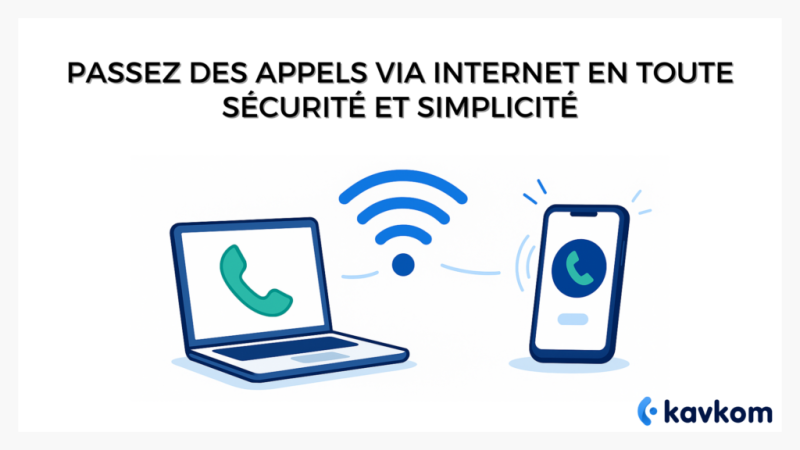
Imagine your voice becoming a digital message. That’s exactly what VoIP does: it converts sound into data, which travels over the Internet before being converted back into voice at the other end. The result: calling becomes as simple as sending an online message.
Unlike traditional switched telephone network (PSTN) calls, VoIP uses the bandwidth of your Internet connection. No physical line, no operator to contact: everything passes through the cloud.
Wi-Fi calls are based on the same principle, but via your home or corporate network. They enable you to call from a smartphone even without a mobile network, as long as the Wi-Fi remains active. This is particularly useful in areas or buildings with poor mobile network coverage.
In brief
| Technology | Media used | Compatible device | Average cost |
|---|---|---|---|
| Classic call | Mobile network / fixed line | Standard telephone | Operator package |
| Wi-Fi call | Wi-Fi connection | Smartphone | Included in package |
| VoIP call | Internet (data) | PC, IP phone, app | Very low or nil |
According to ARCEP, France is gradually migrating to IP telephony: by 2030, the traditional network will be completely replaced by Internet solutions. This shift reflects a worldwide trend: fewer technical constraints, more freedom for users.
What are the advantages of Internet telephony?
The first reason to adopt Internet telephony is economic. By using your existing Internet connection, you can drastically reduce call costs. Many VoIP packages include unlimited calls to landlines and mobiles, in France and sometimes internationally.
But price is just the beginning. Flexibility is just as attractive. You can make and receive calls from a laptop, smartphone or VoIP-compatible landline. A sales rep on the move can keep his business number, wherever he is.
Audio quality has also taken a spectacular leap forward. VoIP calls use high-definition audio codecs: no more choppy voices or metallic echoes. For sales teams or customer relations centers, this clarity changes everything.
In terms of productivity, Internet telephony connects directly to your business tools. From a CRM, one click is all it takes to call a prospect ( click-to-call function). Conversations can be recorded, analyzed or shared for better team training.
In brief
| Advantage | Concrete impact |
|---|---|
| Reduced cost | Unlimited calls to several countries |
| Mobility | Access from any connected device |
| HD quality | Clear, stable sound |
| Integrated tools | CRM, supervision, recording |
| Simplicity | Quick activation, no hardware required |
How to make an Internet call: the three main methods
Do you have a good Internet connection? Then you can already make calls.
All that remains is to choose the method that best suits your needs: smartphone, app or professional service.
1. Using Wi-Fi calls on smartphones (Android and iPhone)
On most recent phones, the Wi-Fi call function is already integrated.
It allows you to call even when the mobile network is weak, using your Internet connection.
On the iPhone, open Settings, Cellular Data, Wi-Fi Calls, then activate the function.
On Android, the option can be found in Settings, Connections, Wi-Fi Calls.
Once activated, the phone automatically switches to Wi-Fi as soon as it detects a more stable signal than the mobile network.
Tip: to avoid outages, keep WiFi network priority in your settings.
And check that your operator supports this function (most do, but not all packages).
In short: this is the simplest method for personal or one-off calls, with no technical configuration required.
2. Making a call with a messaging application
WhatsApp, Skype, Telegram, Signal… these tools also allow you to make free calls over the Internet.
All you need is the same application and a stable connection.
Convenient for private or small-group calls, especially on the move.
But these applications remain limited for professional use: no dedicated number, no centralized history, no CRM integration.
They are suitable for informal exchanges, but are insufficient for the needs of a corporate telephony.
3. Use a professional VoIP telephony service
It’s the most complete solution for businesses.
VoIP lets you call any number (landline or mobile, in France or abroad) directly via the Internet.
You can use a virtual number, a softphone on a PC, or an IP phone connected to the network.
Calls are more stable, with more advanced functions: voicemail, recording, real-time supervision, or direct integration with your sales tools.
With a solution like Kavkom, you can call and receive your customers wherever you are, from a computer, smartphone or IP phone.
How to configure your Internet telephony service
Setting up a VoIP service is simpler than you might think, and doesn’t require advanced technical skills.
In just four steps, you’re ready to call.
Tips for optimum call quality
No matter how good your Internet call is, it still depends on the quality of your connection. A few simple adjustments can make all the difference.
Start by checking your bandwidth. A speed of at least 1 Mb/s per user ensures smooth sound. If several people share the same network, reserve part of the bandwidth for calls: this is called quality of service (QoS).
Close background-intensive applications such as videoconferencing, downloads and streaming. These programs consume data and can cause power outages.
Invest in a headset with noise reduction. Not only is the sound sharper, but you’ll also avoid echoes that tire your interlocutors.
Finally, prefer a wired connection to Wi-Fi whenever possible. Cable remains your best friend when it comes to stability.
Quick tip
To check your network, make a test call outside your company. If the voice remains smooth and latency-free, your configuration is ready for customers.
Security and confidentiality of Internet calls
Internet calls are not conversations in a vacuum. They rely on encrypted protocols designed to protect your exchanges. Modern VoIP solutions use SRTP encryption for voice and TLS for connection signals. These standards block any attempt at eavesdropping or hijacking.
But security also means data management. In Europe, communications must comply with the RGPD. Serious providers host their servers on European territory and apply a strict privacy policy.
This is the case with Kavkom, whose servers are located in Europe and whose French-speaking teams are always available. Your calls, records and statistics are processed in a protected environment that complies with current standards. All this, without chatbots or intermediaries: real human support.
Mistakes to avoid when configuring
Many telephony problems stem from an overlooked detail. Here are some of the most common.
Don’t neglect network stability: a saturated box or Wi-Fi shared with video streams can degrade quality.
Remember to test your audio settings: volume too low, microphone badly selected or headphones unplugged can all ruin a presentation.
Also avoid free VPNs: they slow down transmission and cause outages.
Quick tip
Always test an internal call before contacting your international customers. This will save you minutes of hesitation and embarrassed “can you hear me?
FAQ: everything you need to know about Internet calling
How do I activate Wi-Fi calls on my iPhone?
Go to Settings, Cellular Data, Wi-Fi Calling, then activate the function. This lets you make calls from any reliable Wi-Fi network, even without a mobile signal.
Can I make a call without a SIM card?
Yes. If your device is connected to the Internet, you can make calls via a messaging application or a professional VoIP service. The SIM card is no longer essential: it’s the connection that does it all.
What’s the difference between a Wi-Fi call and a VoIP call?
Wi-Fi calls use your cell phone’s home network. VoIP, on the other hand, transforms your voice into digital data for transmission over the Internet. In practice, the two technologies complement each other.
Can I receive calls without a mobile network?
Absolutely. As long as you have an Internet connection, your VoIP number remains reachable. This is particularly useful for teleworkers and remote teams.
What are the best tools for free Internet calls?
WhatsApp, Telegram or Signal are perfect for personal use. For a professional activity, a cloud telephony platform like Kavkom is more suitable: you keep your number, your statistics and a real customer follow-up.
Conclusion: Internet telephony, the obvious choice for professionals
Internet telephony has definitively changed the rules of the game. You no longer need expensive equipment or a fixed line: a simple connection is all you need to talk to the whole world.
VoIP combines three rare qualities: flexibility, accessibility and modernity. It supports businesses in their transition to simpler, more mobile communications.
With players such as Kavkom, technology finally becomes human: a clear interface, contactable support and total freedom of use.
With Internet telephony, you can stay close to your customers, wherever you are. And in a world where distance is no longer an excuse for silence, it’s undoubtedly the best connection there is.