Your CRM is in order. Your sales pipelines are well-organized. And yet, an entire segment of the customer journey remains invisible in your dashboards.
Calls.
Every day, your sales reps make dozens of calls that are never logged in the CRM. No call duration recorded, no notes, and no link to the current opportunity. The result: your sales KPIs reflect only part of the picture, your marketing attribution is skewed, and marketing, sales, and support teams are working with different interpretations of the same customer.
That’s exactly the problem that RevOps for Telephony solves. Not by adding yet another tool, but by turning every call into actionable data that’s synchronized and managed in the same place as your sales opportunities and revenue forecasts.
Here’s how to connect your calls to your CRM, which KPIs to track, and how to choose a VoIP solution that truly integrates with a RevOps approach.
I recommend without hesitation
With Kavkom, I was able to easily resolve the issue of communication costs to my regular customers. My agents, too, were no longer restricted in their mobility, because even when on the move, communications are managed.

How about you?
Request a demo nowWhy Telephony Is Often the Blind Spot in RevOps
You’ve aligned your sales, marketing, and support teams. Your CRM is up to date. Your dashboards display the right KPIs. And yet, part of the customer journey remains invisible.
Calls.
RevOps applied to voice involves transforming useful calls into actionable data, within a clearly defined framework for data collection and retention. Call duration, hang-up rate, lead qualification, and call summaries—all of this must be automatically fed into your CRM without manual entry. This is essential for effective, reliable management of call center performance.
Except that in most B2B companies, that’s not what happens.
Sales reps make 30, 50, sometimes even 80 calls a day. And how many of those are actually tracked in the CRM? Often, only a fraction of these calls are actually tracked. The rest fall through the cracks. No call duration recorded, no notes, no link to the current opportunity. The result: your CRM call data is incomplete, your forecast is riddled with gaps, and marketing attribution is skewed because it ignores the voice channel.
Centralization finally makes this data usable.
When your telephony RevOps is up and running, every voice interaction feeds into the same system as your emails, forms, and support tickets. Your dashboards finally reflect what’s actually happening on the ground. Your managers can see who’s calling, how long the call lasts, and what the outcome is. And your teams work with the same customer history, whether they’re prospecting, closing deals, or handling after-sales service.
Without this component, your CRM remains unaware of part of the customer lifecycle. And managing performance with incomplete data is like driving with a broken rearview mirror.
Kavkom directly addresses this issue. The platform synchronizes calls with compatible CRMs—including Salesforce, HubSpot, Pipedrive, Zoho, and Zendesk—along with call recordings and notes, depending on the selected configuration. You significantly reduce manual data entry. Your sales reps make calls, and the data is automatically uploaded. Your managers make decisions based on reliable metrics linked to the CRM, not on estimates.

Boost the productivity of your sales teams with Kavkom, the 100% cloud-based business telephony software.
Try Kavkom for free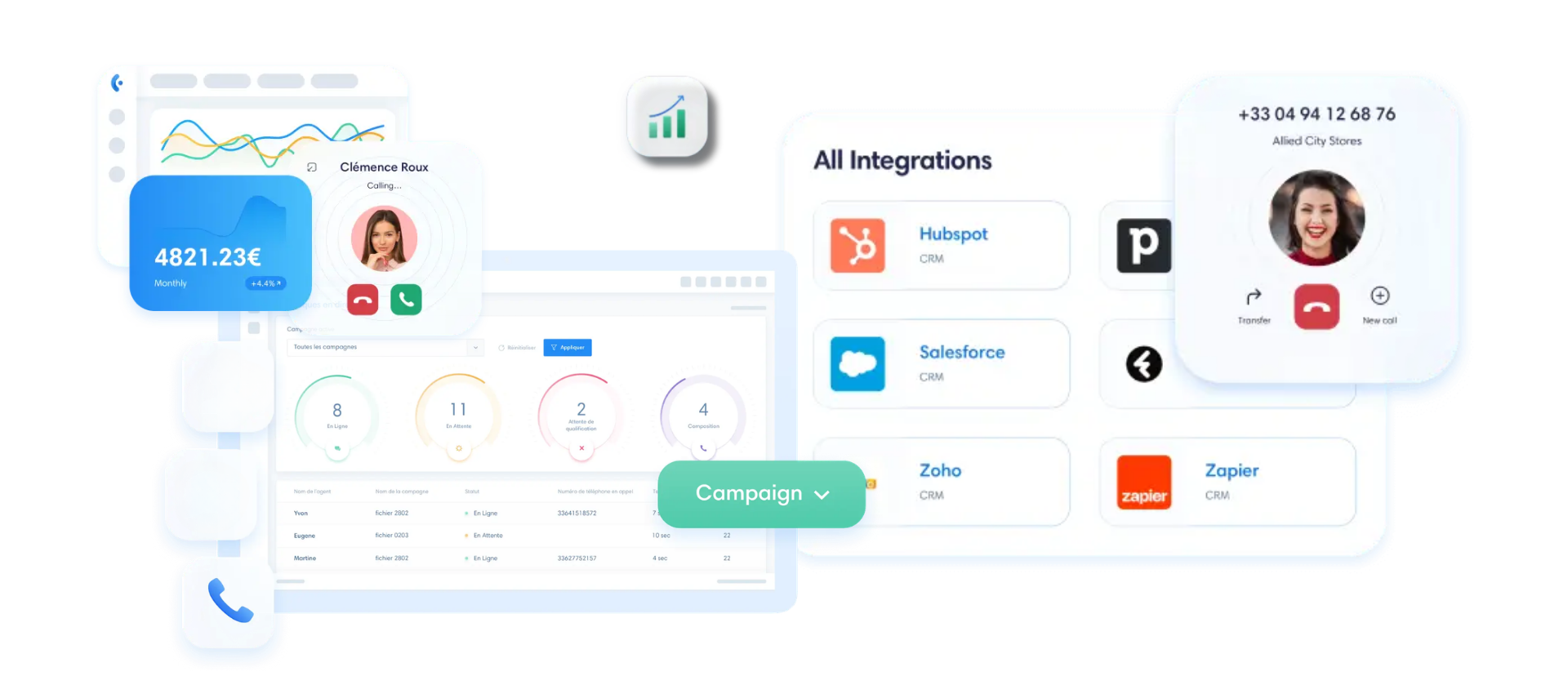
How Call Data Aligns Marketing, Sales, and Support
You’ve probably been in this situation before: Marketing generates leads, the sales team follows up with them, and support handles the follow-ups. Three teams, three different perspectives on the same customer interaction.
Call data is precisely what makes it possible to unify these interpretations.
When every call (incoming or outgoing) is logged in a shared system—along with its duration, recording, outcome, and link to the correct CRM contact—teams work from a shared history. Marketing knows what happens after a form is submitted. Sales reps can view the support history. And support knows the sales context even before picking up the phone.
Alignment in telemarketing sales can’t be dictated in a meeting. It’s built on data. And voice data is the richest data your teams produce every day—yet it’s the data that most often goes untapped.
Here’s how each team benefits from this in practical terms.
Marketing: Lead Attribution and Quality
You invest in Google Ads campaigns, content, and webinars. But when a prospect picks up the phone instead of filling out a form, your attribution falls apart.
With proper RevOps phone integration, every incoming call is linked to its source. You know which campaign generated the lead, which keyword triggered the call, and most importantly: was that lead worth pursuing? The pickup rate, average call duration, and resulting lead qualification provide you with a much more reliable picture than simply the volume of leads generated.
In practical terms, your marketing team can now compare two campaigns not based on the number of forms filled out, but on the number of successful, qualified calls. This represents a radical shift in perspective when it comes to evaluating ROI.
What about feedback from the field? That’s circulating, too. When calls are recorded within a defined framework, certain excerpts can help the marketing team identify recurring objections and adjust its messaging. There’s no longer any need to wait for a “monthly update” to realize that the company’s messaging isn’t aligning with what’s happening on the ground.
Sales: Productivity and Opportunity Tracking
Your salespeople spend their days on the phone. But how much time do they spend typing up notes after each call?
With a sales ops-connected phone system, that time is eliminated. Kavkom automatically syncs every call to the CRM: duration, recording, and associated contact. As soon as the sales rep hangs up, the data is already there. All they have to do is click on the next number using the built-in click-to-call feature, without having to retype anything.
Tracking opportunities in the pipeline is becoming more accurate. Each deal is linked to an actual call history: number of contacts, frequency, and duration of interactions. Your manager can immediately see which deals are moving forward and which ones are stalled.
What about coaching?Recording calls makes it possible to review key conversations. Is a new sales rep struggling with price objections? Their manager can identify the problem by listening to the recording for 5 minutes—not by observing them for 3 weeks.
Boost the productivity of your sales teams with Kavkom, the 100% cloud-based business telephony software.
Schedule a demo
Support: Unified History and Customer Loyalty
A customer calls your support line. The agent answers the phone. At this point, there are two possible scenarios.
Scenario 1: The agent asks the customer to explain everything all over again from the beginning. The customer sighs. He already spoke with a sales representative last week, sent an email on Tuesday, and now he has to start all over again. Frustration guaranteed.
Scenario 2: The contact record is automatically retrieved along withthe completecustomer history. The agent can see previous calls, the sales representative’s notes, and the current ticket. The agent gets right to work on the issue.
With Kavkom, it’s the second scenario. The CRM record pop-up for incoming calls provides your agents with all the necessary information before they even say “hello.” First-call resolution improves automatically, because agents no longer waste time piecing together the context.
And what about the impact on customer retention? It’s direct. A customer who feels recognized, who doesn’t have to repeat themselves, and who gets a quick response is a customer who stays. RevOps telephony data fuels a virtuous cycle here: a better experience, less churn, and more value per customer.
Alignment between marketing, sales, and support is built gradually, starting with a shared customer history. But when all three teams share the same voice database—synchronized in real time within the CRM—you lay the foundation for a phone-based RevOps system that truly works.
👉 Kavkom is compatible with all your sales team’s tools. Explore VoIP phone service for customer service.
CRM Integration: Turning Every Call into Actionable Data
You have a well-configured CRM. Your contact records are accurate, your sales pipelines are organized, and your workflows are running smoothly. And yet, a significant portion of your sales activity still slips through the cracks.
Why? Because your calls are managed outside the CRM.
RevOps telephony integration changes all that. When your VoIP solution is natively connected to your CRM, every call becomes a traceable, actionable event that you can leverage. No more gaps in the customer journey. No more manual entries forgotten at 6 p.m. on a Friday.
Here’s what it means in concrete terms:
Contact Synchronization and Record Upload
Let’s say a prospect calls you back three days after a demo. With Kavkom, their CRM record appears automatically as soon as the phone rings. Your sales rep sees the name, company, notes from the last conversation, and the current deal. They answer the call with all that context in mind—not blindly.
This synchronization allows you to link your calls to CRM records and keep the customer history in one place. A new contact created in the CRM is immediately accessible in the phone system. An incoming call from an unknown number can be tagged and then linked to a CRM record according to your workflow. No manual data entry, no duplicates.
This is the foundation for reliable VoIP and CRM solutions. Kavkom integrates natively with Salesforce, HubSpot, Pipedrive, Zoho, and Zendesk, without the need for custom development.
Centralized call log and automatic recordings
Every call made or received through Kavkom is automatically logged in the CRM. Duration, timestamp, agent involved, outcome—it’s all there, without anyone having to lift a finger.
Recordings are archived and linked to the correct contact record. Does your manager want to listen again to a key conversation about a €15,000 deal? They just click on the contact in the CRM and find the recording. No need to search through a separate tool.
This centralized call log feeds directly into your RevOps dashboards. You can finally measure what’s actually happening on the ground: how many calls per sales rep, the average call duration, and the drop-off rate by segment.
Automation of Post-Call Tasks
That’s where the time savings really add up.
After each call, Kavkom data can be fed into your CRM workflows: call log, duration, recording, and notes. Follow-up tasks or opportunity updates then depend on your CRM settings.Automating follow-ups eliminates oversights that cost you deals.
Imagine this: Your sales rep hangs up after a qualification call. With a properly configured CRM workflow, the call can trigger a follow-up task, update the deal history, and provide the manager with the information needed to follow up. The sales workflow runs on its own.
And all of this works with no commitment, with all the features included in the Kavkom package—not as a paid add-on reserved for a premium plan.

RevOps for Telephony: Must-Track Call KPIs
You’ve connected your phone system to the CRM. Calls are being logged, recordings are being archived, and tasks are being created. Good.
But measure what, exactly?
That’s the question most teams avoid. They collect data without knowing which metrics to focus on. The result: cluttered dashboards, weekly meetings where no one is looking at the same numbers, and a telephony RevOps team that’s spinning its wheels despite flawless technical integration.
Here are the metrics that really matter—the ones that link your call volume to your income.
| KPI | What it measures | Impact on Income | B2B Benchmark 2026 |
|---|---|---|---|
| Volume of Outgoing Calls | Number of attempts per sales representative per day | Feeds the top of the pipeline (CAC) | Varies by sector |
| Dropout rate (connect rate) | Percentage of calls answered by a human | Determines the actual effectiveness of lead generation | 5.4% on average, 13.3% in the top quartile |
| Call-to-Appointment Conversion Rate | Percentage of conversations that lead to a meeting | Measures the quality of messaging and targeting | 2 to 3% on average, 5 to 8% for top performers |
| Average talk time | Actual talk time (excluding ring tones) | Qualification and Commitment Indicator | Specific to each sales cycle |
| Missed Calls (Incoming) | Calls Not Answered by Your Teams | Direct loss of leads and customer satisfaction | Target: < 5% |
The benchmarks for drop-off rates and conversion rates are based on a Gong Labs analysis of more than 300 million B2B calls, as reported by Prospeo in 2026. These figures serve as a reference point—not an absolute target.
So, how do these sales call KPIs relate to your revenue metrics?
The connection is direct. Your customer acquisition cost (CAC) depends on the number of calls needed to secure an appointment. The number of calls needed to secure an appointment depends on the answer rate, the quality of the lead list, and the conversion rate after the call. Calculate it based on your own campaigns rather than a generic benchmark. If your sales reps’ conversion rate reaches 5%, that number drops below 100. Fewer calls per deal automatically leads to a lower CAC.
Average call duration is an underrated metric. A 45-second call usually means you’ve hit a receptionist or heard a “no, thanks.” A 4-minute call is a genuine qualification conversation. By cross-referencing this KPI with the win rate per sales rep, you can identify who’s qualifying leads effectively and who’s just going through the motions.
Missed calls, on the other hand, have a direct impact on LTV. A prospect who ends up in a hold queue with no response doesn’t always call back. An existing customer who can’t reach support starts looking elsewhere.
With Kavkom, all of these metrics are available in the platform’s built-in dashboards, with no additional modules to unlock. Volume, duration, drop-off rate, breakdown by agent: everything is included in the plan, whether you’re on the SME plan at €30/month or the call center plan at €50/month.
And that’s where telephony RevOps really comes into its own: you no longer track call activity in a separate tool. You manage it in the same place as your sales opportunities, forecasts, and revenue goals.
SMEs vs. Call Centers: Structuring Your Phone System Based on Your Call Volumes
You now know which KPIs to track and how to link them to your revenue. But there’s one question that many people avoid: Is your phone system configured to handle your actual call volume?
Because a phone system for a sales team of 8 people who make 30 calls a day is not the same as one for a call center with 25 agents who make 200 calls.
And yet, many companies pay for a configuration that doesn’t match their needs.
Here’s how to tell the two profiles apart.
| Criteria | SMEs / Small and Medium-Sized Enterprises | Call center |
|---|---|---|
| Daily volume per agent | 20 to 80 calls | 100 to 500+ calls |
| Primary Need | Unlimited incoming and outgoing calls, CRM integration | Predictive dialer, real-time monitoring, coaching |
| Customized Kavkom Offer | 30 €/month, no commitment | 50 €/month, no commitment |
| Key features | Click-to-call, contact information retrieval, call log | Native predictive dialer, call recording, whisper mode |
| Seasonality | Pro-rata billing; suspension possible | Pro-rata billing, adjustment of the number of lines |
If you’re an SME with a sales team of 5 to 15 people, the €30/month plan covers all the essentials. Truly unlimited calls (incoming and outgoing to mobile and landline numbers in France), native CRM synchronization, and all features included at no extra cost. Your sales reps make calls, data is tracked, and your sales ops-connected phone system runs without any added complexity.
For a call center where agents spend their days on the phone (up to 500 minutes a day), the needs are different. Kavkom’s native predictive dialer dials multiple numbers simultaneously and connects the agent only when a prospect picks up. The result: your agents spend their time talking, not waiting for the phone to ring.
What about seasonality? That’s something many people don’t realize.
Let’s say your business slows down in August. With Kavkom, you can suspend your lines and pay only a prorated amount. There’s no annual contract that charges you the full rate during slow months. This is more cost-effective than a competitor’s solution that might offer you a 25% discount in the summer, because you simply pay nothing for the days you don’t use.
What matters in a RevOps approach to telephony is that your infrastructure adapts to your operational reality—not the other way around. And if your needs change (hiring agents, seasonal spikes, entering a new market), you can adjust the number of lines with no minimum requirement, no installation fees, and no delay.
Boost the productivity of your sales teams with Kavkom, the 100% cloud-based business telephony software.
Schedule a demo
How to Choose a RevOps-Compatible VoIP Solution (and Pitfalls to Avoid)
You’re convinced that your phone system should feed into your CRM and KPIs. That leaves the most practical question: How do you choose the right solution without messing it up?
Because all VoIP platforms claim to be “integrated” and “CRM-compatible.” Except that once they’re up and running, surprises quickly arise.
Here is a practical checklist for evaluating a RevOps-compatible VoIP solution, followed by the mistakes that derail most implementations.
- Native CRM integrations: The solution must connect to your CRM (Salesforce, HubSpot, Pipedrive, Zoho) without requiring custom development. If the vendor asks you to use a third-party integrator to connect the phone system to the CRM, that’s a red flag.
- Reporting and statistics included at no extra cost: make sure that the dashboards (volume, duration, hang-up rate, breakdown by agent) are available even with the basic plan. With some providers, these features are reserved for premium plans, which drives up the cost as soon as you want to track your sales call KPIs.
- Option to use a physical IP phone at no additional cost: If your teams prefer a physical handset over a webphone, make sure this option doesn’t incur any extra charges. This is often a paid feature with other providers.
- No commitment and prorated billing: A 12- or 24-month contract locks you in. Your call volume fluctuates, and your teams change. You need to be able to adjust (or suspend) your service without penalty.
- Open and well-documented API: To integrate telephony with your internal tools (ERP, BI, automation), an accessible REST API is essential.
Now, the pitfalls. These are the ones you discover after you’ve signed.
- Tool not connected to the CRM: You install a high-performance VoIP solution, but calls remain in a separate silo. Your sales reps still have to enter notes manually. Your phone operations team falls apart before it even gets started.
- Unstandardized data: Calls are logged in the CRM, but without a consistent format. Durations are shown in seconds in one place and in minutes in another. Call statuses don’t match your pipeline stages. The result: Your dashboards display noise, not information.
- Fixed-term licenses with a minimum commitment period: You sign up for 20 seats over 24 months. Six months later, your team shrinks to 12. You still have to pay. This model is incompatible with an agile RevOps approach.
Kavkom checks every box on this checklist. Native CRM integrations, all features included even in the base plan, compatibility with physical IP phones at no extra cost, no long-term commitment, and prorated billing. It’s a 100% cloud-based solution designed so that your Telephony RevOps data is ready to use from day one—not after three months of configuration.
Boost the productivity of your sales teams with Kavkom, the 100% cloud-based business telephony software.
Request a Custom Demo
I recommend without hesitation
With Kavkom, I was able to easily resolve the issue of communication costs to my regular customers. My agents, too, were no longer restricted in their mobility, because even when on the move, communications are managed.
How about you?
Request a demo nowKey Takeaways on RevOps for Telephony
- CRM integration transforms every voice interaction into structured data, eliminating blind spots in the customer journey.
- Using call KPIs to guide your strategy allows you to adjust your customer acquisition cost and marketing strategy based on real data.
- Alignment among the sales, marketing, and support teams relies on a unified customer history that’s accessible with a single click.
- A flexible, no-commitment VoIP solution provides the agility you need to scale your infrastructure as your business grows.
Integrating your calls into your CRM transforms what is often an opaque channel into a source of actionable data. This is the cornerstone of a RevOps strategy that leaves nothing to chance, where every interaction directly feeds into your sales pipeline and revenue forecasts.
Connected telephony feeds your CRM, your KPIs, and your sales coaching efforts.
To learn more about the operational side of things, you can explore the specifics of managing a high-performance call center or find out how to choose telemarketing software that’s suited to your telemarketing volume.
Ask yourself: How many hours a week does your team waste on manual data entry? If you want to automate all of that, you can try Kavkom risk-free to measure the productivity gains in your own CRM starting tomorrow.