Telephony API for SaaS Providers
Integrate telephony directly into your SaaS
Add calls, phone numbers, and telephony features directly to your application using the Kavkom API. Avoid building an entire in-house telephony infrastructure and let your teams focus on what makes your product valuable.
The Problem
Why build an entire telephony infrastructure for your SaaS?
Do you want to add phone capabilities to your product? The challenge isn’t just about letting your users make calls. You also need to manage:
Developing everything in-house can quickly tie up your technical teams on a project that isn’t your core business.
With Kavkom, you can integrate the telephony component into your product.
The Promise
Turn telephony into a native feature of your SaaS
No longer ask your users to leave your software to make a call. With Kavkom, you can integrate phone features directly into your product experience.
Your users stay within your SaaS.
In particular, they can:
Make a Call
From your own interface.
Receive a call
Without having to use multiple tools.
Use a business number
Directly from your platform.
Trigger actions
Based on phone events.
Integrating Phone Systems with Workflows
To automate call-related actions.
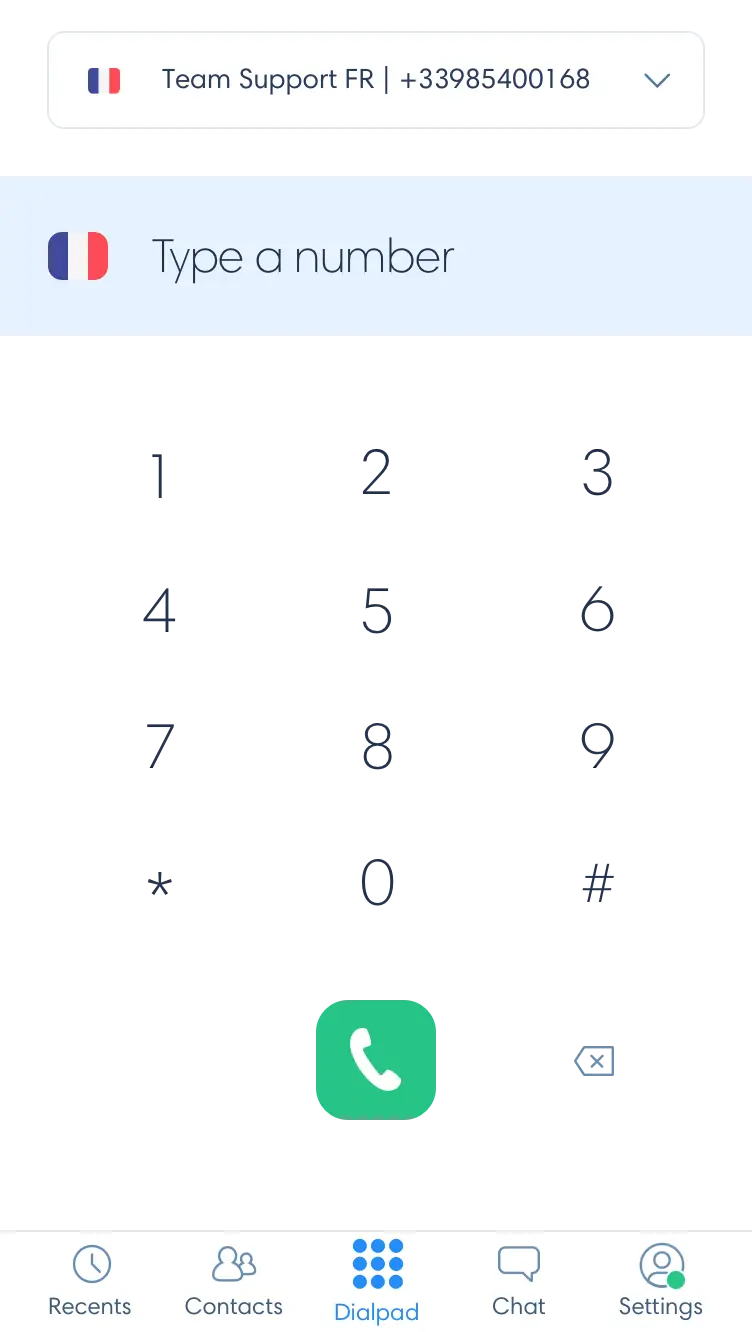
Available Building Blocks
The phone features your SaaS needs
Build your phone experience using Kavkom features.
Virtual Numbers
Assign business phone numbers to your users and integrate them into your software environment.
POST /order · type=didIncoming & Outgoing Calls
Let your users manage their calls directly from your product.
POST /active_call/callClick-to-call
Initiate a call directly from a profile, contact, or action within your app.
click-to-callWebPhone / WebRTC
Enable phone calls directly from a web interface, depending on the integration capabilities.
SIP.js · SimpleUserWebhooks & Events
Connect phone events to your SaaS workflows and features.
Webhooks · EventsHistory & Recordings
Leverage call-related data within the user experience you provide, depending on available features.
History · RecordingsHow does it work?
Your SaaS. The Kavkom API. Telephony.
Your Application
Your user triggers an action from your SaaS.
“Call this contact”Kavkom API
Your application communicates with the Kavkom API.
Kavkom manages the telephony layer
Kavkom handles the necessary telephony infrastructure.
The event is returned to your SaaS
Your application can process the event and integrate it into your own workflow.
Telephony becomes a core component of your product.
Not just an extra piece of software that your users have to open in a separate window.
Why Kavkom?
You’re developing your SaaS. Kavkom provides the telephony component.
Your competitive advantage doesn’t lie in building a telecom infrastructure. It lies in your product, your user experience, and your ability to meet your customers’ needs.
Kavkom lets you add a telephony layer to that experience.
Focus your resources on your product
Avoid unnecessarily tying up your teams with all the issues related to phone systems.
Integrate telephony into your user experience
Your users stay within your environment and use phone features directly from your product.
Connect telephony to your workflows
Leverage phone events to trigger your own actions and automations.
Enhance your offering
Add a new functional dimension to your SaaS without having to turn your business into a telecom carrier.
For Product Teams
Add phone capabilities without distracting your team from your core product
For a product team, the question isn’t just:
“How do we integrate a telephony API?”
The real question is:
“How can we offer a seamless phone experience without rebuilding the entire infrastructure behind it?”
With Kavkom, you can integrate phone capabilities into your product roadmap while maintaining your own user experience.
For Technical Teams
An API to integrate telephony into your application
Your technical team needs to be able to quickly understand the integration possibilities and identify the components needed for your project.
Technical Documentation
Access the resources you need to understand the integration.
API
Connect your application to Kavkom’s phone features.
Webhooks
Leverage phone events in your own workflows.
WebRTC / WebPhone
Where appropriate, integrate a phone experience directly into your web interface.
Need to go further?
Use Cases
Take Your SaaS to the Next Level
CRM & Sales
Let your users call their prospects directly from your CRM and link call events to their contacts.
Business Management Software
Integrate calls into the business workflows your customers already use on a daily basis.
Customer Relationship Management Platforms
Add a phone layer directly into the customer relationship management experience.
Industry-Specific SaaS
Enhance your software with telephony features without having to build out the entire telecom infrastructure.
Multi-user platforms
Offer telephony features to your own users while maintaining your product environment.
Before / After
Telephony as an external tool
Your user must:
This creates friction.
Integrated Telephony
The path becomes:
The experience remains centralized.
Less friction for the user.
More control over the product experience.
Your Project
Do you have an integration project?
Every SaaS solution has its own technical constraints, architecture, and use cases.
Tell us about your project so we can determine how telephony can be integrated into your product.
You can tell us about:
FAQ
Frequently Asked Questions
The basics before we talk.
Is the Kavkom API suitable for SaaS providers?
The Kavkom API is designed to enable the integration of phone features into software environments. The specific integration options must be determined based on your project and the features currently available.
What features can I integrate?
Based on the features currently offered by Kavkom, integration may include virtual numbers, calls, click-to-call, WebPhone/WebRTC, events, and Webhooks.
Do I have to develop the entire telephony infrastructure myself?
The goal is precisely to allow you to rely on Kavkom for the telephony layer and focus your resources on your product. The exact technical details, however, depend on your architecture and your project.
Can I integrate telephony directly into my interface?
The goal of this offering is to enable you to integrate telephony features into your own app’s user experience, based on the technical capabilities provided by Kavkom.
My project requires a specific integration. Is that possible?
The easiest way is to present your architecture and requirements to the Kavkom team so we can determine the integration options best suited to your project.
Let’s talk about your project
Your SaaS. Your experience.
Integrated telephony.
Don’t build an entire phone system just to add a few features to your product. Integrate phone capabilities directly into your SaaS with Kavkom.
Contact form
Website
kavkom.com
Phone
+33 1 78 90 26 98
contact@kavkom.com
/company/kavkom
 The telephony component of your SaaS.